
Most B2B marketing teams I talk to are running manual spot checks to see whether their brand appears in ChatGPT or Perplexity.
Someone on the team types a few prompts, screenshots the results, and pastes them into a Slack message. That’s the current state of AI visibility tracking for many companies.
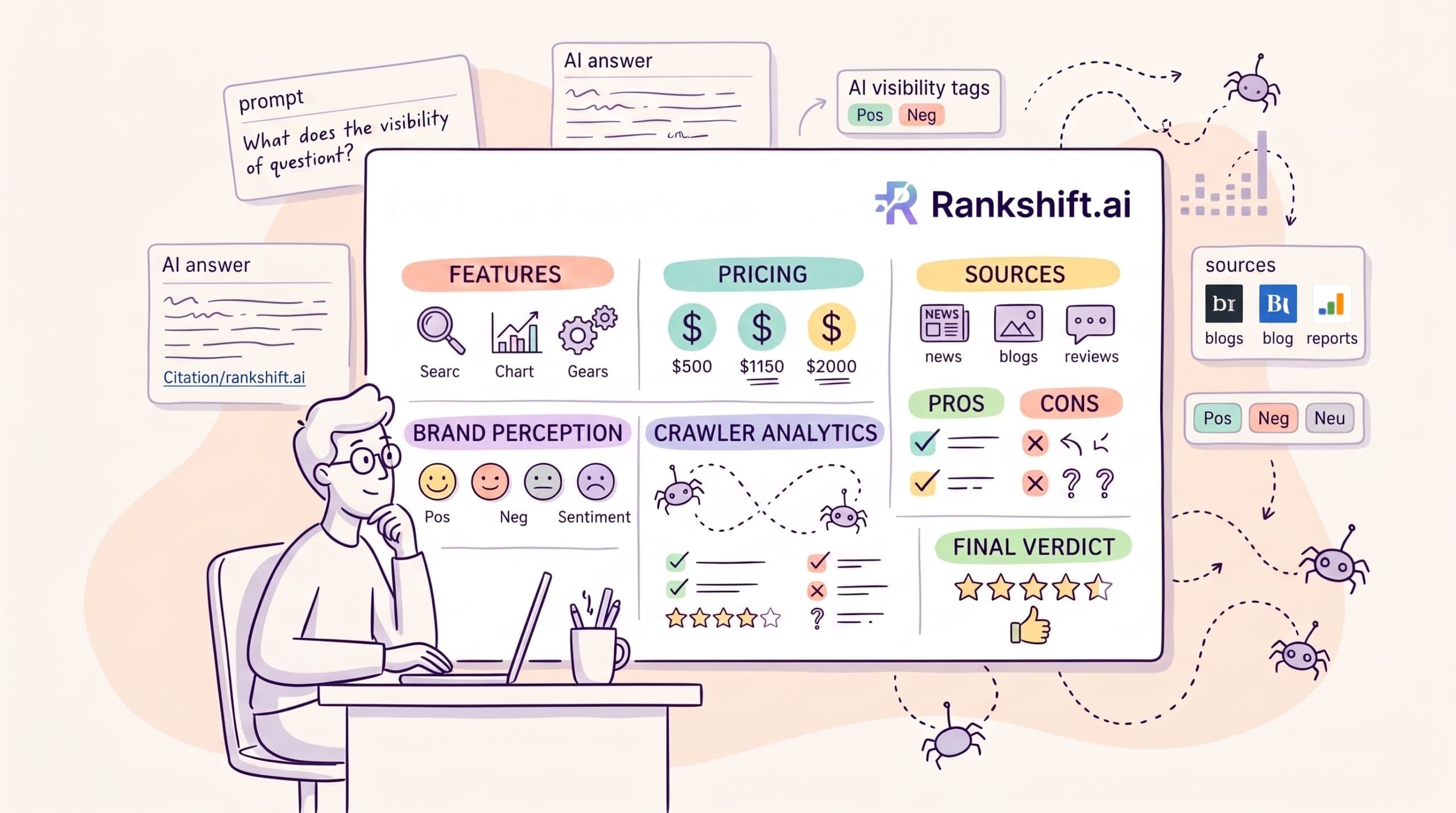
Rankshift exists to replace that process with a systematic approach. It tracks how your brand appears across nine AI platforms—ChatGPT, Gemini, Perplexity, Claude, AI Overviews, Google AI Mode, Copilot, Mistral, and Meta AI—and reports on visibility, sentiment, citation sources, and crawler behavior.
I’ve been on a paid plan for six months. I write about AI search and content strategy for B2B SaaS companies, so this is the kind of tool I’d use anyway.
This review covers what I’ve learned from this AI visibility tool: what works, what doesn’t, and whether it belongs in a B2B marketing team’s stack.
What is Rankshift?
Rankshift is an AI search visibility platform. You pick the prompts your buyers are likely to type into ChatGPT or Perplexity, and the tool runs them across whichever LLMs you choose. Then it tells you whether your brand showed up, how it was described, and which sources the AI used to compile that answer.

Rankshift pulls responses from each platform’s actual user interface, not from API outputs. That matters because what the API returns and what a real user sees aren’t always the same thing—and your buyers are using the UI.
It’s not an SEO tool in the traditional sense. There are no keyword rankings, backlink data, or technical audit features.
Rankshift is built specifically to answer one question: how does your brand show up when buyers use AI to research your category?
Who Rankshift is for
Rankshift works best for B2B marketing teams where AI search visibility is already on the agenda—teams that have moved past “we should probably track this” and want a systematic way to do it.
More specifically, it’s a good fit if:
- You’re managing multiple competitors in a category where buyers are actively using ChatGPT or Perplexity to compare options
- You want to understand which third-party sources (review sites, publications, communities) are influencing how AI describes your brand
- You have the team bandwidth to act on what the data shows
It’s a poor fit if:
- You’re early-stage and haven’t built enough of an online presence for AI models to have formed a view of you yet. Fix the fundamentals first.
- You’re looking for a tool that tells you what content to create and then creates it. The Content Engine is in Beta, and it’s not there yet.
- You want a permanent free plan. Rankshift offers a 30-day trial, but no free tier.
Rankshift’s key features
Visibility tracking (Prompts, Tags, Scenarios)
This is the core of the product.
You enter the prompts you want to track—the questions your buyers are typing into AI platforms—and Rankshift runs them on a schedule you control.
You can organize prompts using Tags (grouped by theme, campaign, or product line) and Scenarios (that compare how visibility changes across different contexts or use cases).
The visibility score tells you how often your brand appears across the prompts you’re tracking.

Share of voice shows how it compares to the competitors you’ve added to your project.
The tool is only as useful as the prompts you put in. If you track generic category prompts, you’ll get generic data. The teams getting the most value from Rankshift are tracking buyer-intent prompts—the specific questions someone asks when they’re actively comparing vendors, not just learning about a category.
Brand Perception
Brand Perception is the sentiment and positioning layer. It breaks down into four sub-sections: Themes overview, Branded Prompts, Topics, and Scenarios.
The Themes overview shows the recurring ideas and attributes AI associates with your brand. Things like “affordable,” “easy to integrate,” or “lacks enterprise features.” These aren’t things you input. Rankshift surfaces them from AI responses.

Branded Prompts tracks prompts where your brand is named directly (“What do people think of [your company]?” or “Is [your company] good for mid-market teams?”). This is different from the generic visibility tracking above.

It captures how AI talks about you when someone specifically asks.
Topics and Scenarios add further segmentation. You can see how perception shifts across use cases or buyer profiles.
The Brand Perception features stand out because most teams only track whether they appear in AI answers. This section tells you how they appear, which is a different and often more important question.
Sources
Sources is where I spend most of my time in Rankshift, and it’s the feature other reviews undersell.

When an AI platform answers a question, it cites sources, such as articles, review sites, forum threads, and publications, that influenced its response. Sources shows you which domains are being cited in your category, how frequently, and whether your own content is among them.
For a B2B marketing team, this answers a concrete strategic question: who is shaping what AI says about our category, and are we one of them?
If G2, a specific publication, or a Reddit thread is being cited heavily and your content isn’t, that’s a gap you can close. If your own blog is getting cited, you can see which articles are getting cited and double down on that format.
Crawler Analytics (AI Crawler Bots, Robots.txt)
Crawler Analytics shows when AI bots like GPTBot, ClaudeBot, Googlebot, and PerplexityBot crawl your site, which pages they visit, and whether they’re hitting any errors.
The Robots.txt view shows you whether your current configuration is accidentally blocking AI crawlers from sections of your site you’d want indexed.
This feature is more useful for technical SEO and ops teams than for marketing leaders on a day-to-day basis. But if you’re wondering why your content isn’t getting cited despite ranking well, crawler logs are often where the answer lives. A 404 on a frequently visited page or an overly restrictive robots.txt can explain a lot.
Content Engine (Beta)
Rankshift has a Content Engine that generates content briefs and draft articles based on the visibility and citation gaps the tool identifies.

It’s in Beta, and it shows. The briefs are useful as a starting point, but they need significant editing before they’re ready to use. Treat it as a research accelerator, not a content production tool.
If you’re evaluating Rankshift and the Content Engine is a deciding factor, wait. It’s not mature enough yet to be a reliable part of a production workflow.
Rankshift pricing
Rankshift offers three self-serve plans, priced annually in USD, EUR, or GBP.
| Plan | Monthly (annual billing) | Prompts/day | Credits/month |
| Starter | $82 | 150 | 9,500 |
| Professional | $189 | 350 | 22,000 |
| Business | $425 | 850 | 53,000 |
All three plans include unlimited projects, unlimited seats, tracking across all nine LLMs, crawler analytics, Data Studio (formerly Looker Studio) integration, and MCP and API access.
Monthly billing is available but costs roughly 10–15% more.
Enterprise pricing is custom and adds SSO, an SLA, a dedicated account manager, and priority support.
How to think about which plan you need:
The prompt limit is the key variable. One prompt run across four LLMs daily consumes more credits than the same prompt run weekly.
For a B2B marketing team tracking 30–50 prompts across ChatGPT, Perplexity, and Gemini on a daily schedule, the Professional plan ($189/month) is usually the right starting point.
The Starter plan works if you’re beginning with a focused set of prompts and don’t need to track every LLM simultaneously. Start there, watch your credit usage in the first month, and upgrade if you hit the ceiling.
On value relative to alternatives:
Compared to tools like Profound ($199/month, limited users) or enterprise platforms like BrightEdge and Semrush, which offer AI features, Rankshift’s flat-seat pricing is an advantage for teams. The per-user models in this category penalize you for involving more of your team, which is the opposite of what you want from a monitoring tool.
What I like about Rankshift
- Unlimited seats and projects on every plan. Most tools in this category charge per user or per project, which means costs scale awkwardly for teams. Rankshift’s flat plan structure means you can add the whole marketing team without the pricing conversation becoming painful.
- The Sources feature is strategic. Citation analytics turn a visibility tracker into something more useful: a map of the information ecosystem your buyers are navigating. Knowing that a specific review platform or industry blog is heavily cited in your category gives you something to do with the data.
- UI scraping rather than API calls. Rankshift captures what users actually see, not what the API returns. Those two things aren’t always the same, and for tracking purposes, the UI is what matters.
- Brand Perception separates appearance from positioning. Showing up in an AI answer where you’re described as “expensive and hard to implement” is worse than not showing up at all. Brand Perception surfaces how AI describes you, not just whether it mentions you.
- The 30-day trial requires no credit card. A month is enough time to run real prompts, see how the credit system works, and decide whether the data is worth the subscription cost before committing.
What could be better
- The credit system takes time to calibrate. Credits are consumed based on the number of prompts you run, how many LLMs you track them across, and how often. I like the flexibility, but it takes a few weeks to figure out the right allocation for your use case without burning through your monthly budget too quickly.
- There are no built-in optimization recommendations. Rankshift tells you where you stand and what sources are shaping the conversation. It doesn’t tell you what to do about it. That gap is where your strategy has to come in. Some teams will be fine with that. Others will find it frustrating, especially early on when the data raises more questions than it answers.
- The Content Engine is not production-ready. Don’t factor the Content Engine into your evaluation unless you’re comfortable with rough, work-in-progress tooling.
- Historical data is limited. Rankshift launched in 2024. If you want long-term trend data on how your AI visibility has evolved, the depth isn’t there yet. This will improve over time, but it’s a real limitation compared to more established tools right now.
- No mobile app. The web interface is responsive enough on mobile for quick checks, but anything substantive—such as adjusting prompts or reviewing citation trends—is better done on desktop.
How Rankshift compares to alternatives
Rankshift vs. Profound
Profound is the closest direct competitor at a similar price point. The key difference is that Profound leans into content optimization recommendations. Rankshift doesn’t have that layer yet.
If you want a tool that diagnoses and prescribes, Profound is worth evaluating. If you want deeper citation analytics and the ability to track a broader set of LLMs without per-user pricing, Rankshift is the stronger option.
Rankshift vs. Semrush AI Overviews tracking
Semrush has added AI visibility features, but they’re narrower in scope—primarily focused on Google AI Overviews and Google AI Mode rather than the full LLM landscape.
If your team is already paying for Semrush and your focus is on Google’s AI surfaces, the built-in features may be enough. If you care about ChatGPT, Perplexity, Claude, and others, Semrush doesn’t yet cover them in a meaningful way.
Rankshift vs. Peec AI
Peec AI is cheaper at the entry level and includes MCP access on its lowest tier. The tradeoff is narrower LLM coverage and no unlimited-seats model. For small teams tracking a limited set of platforms, Peec is worth a look. For teams needing 9-LLM coverage and the ability to add collaborators without pricing friction, Rankshift has the edge.
My experience with Rankshift
The feature I’ve gotten the most practical use from is Sources. Seeing which domains are consistently cited in AI answers for B2B SaaS content marketing queries and whether my own site is among them has directly informed which content I invest in refreshing versus creating new.
Another thing I noticed was that some of the sources AI cites most heavily are not the ones with the most backlinks or the highest DR. A focused, well-structured article on a mid-tier publication can outperform a longer piece on a high-authority domain in terms of AI citation frequency.
That’s a different optimization target than traditional SEO, and Rankshift is one of the few tools that shows it.
Brand Perception took a few days to feel useful. Early on, the data was thin because I hadn’t run enough prompts to build a pattern. By day 7, it started showing consistent themes—which attributes AI was associating with my work and which competitor names were appearing nearby. That kind of positioning data is hard to get any other way.
The credit system frustrated me in the first couple of days. I burned through a significant portion of my monthly allocation by running too many LLMs simultaneously for daily tracking. Once I shifted some prompts to weekly runs and prioritized the platforms my audience actually uses most, the credits went much further.
One limitation I hit was that if a prompt is too broad, the data it generates is too noisy to act on.
“Best content marketing tools” returns different results from “best B2B SaaS content tools for a team of five with no in-house SEO.” The more specific your prompts, the more useful the output.
Final verdict: Should you use Rankshift?
For B2B marketing teams that are serious about AI search visibility, yes.
Rankshift does what it says. It tracks how your brand appears in AI-generated answers at a scale and consistency that manual spot-checks can’t match. The Sources feature alone is worth the entry-level subscription for most teams, because understanding which sources AI trusts in your category is foundational to any GEO strategy.
There’s no optimization guidance built in. The Content Engine isn’t production-ready. Historical data is shallow for now. And you’ll need to invest time in prompt strategy to get genuinely useful data out of the tool.
If you’re expecting a tool that fixes your AI visibility for you, Rankshift isn’t that. If you’re expecting a tool that shows you clearly where you stand and what’s shaping the conversation in your category—so you can make better decisions about what to create, where to publish, and what to optimize—it delivers.
The 30-day free trial requires no credit card. Start with a focused set of 20–30 prompts across three or four LLMs, watch your credit usage, and see whether the data changes how you think about your content strategy. For most B2B marketing teams, it will.
Frequently asked questions about Rankshift
Is Rankshift worth it for a B2B marketing team?
If your team is actively thinking about AI search as a channel, yes. The citation analytics and Brand Perception features give you data that manual spot-checks can’t replicate at scale. If you’re not yet tracking AI visibility at all, Rankshift is a reasonable place to start—the 30-day trial is enough to test whether the data is actionable for your specific category.
How does the Rankshift credit system work?
Credits are consumed each time Rankshift runs a prompt against an LLM. The credit cost per run depends on the LLM. If you track 50 prompts across four LLMs on a daily schedule, you’ll burn through credits faster than if you run the same prompts weekly on two LLMs. The flexibility is useful, but it takes a few weeks to find the right allocation. Start conservatively and adjust based on your first month’s usage.
How many prompts should I track?
Start with 20–30 tightly defined, buyer-intent prompts. Broad category prompts generate noisy data. Specific prompts—the kind of questions a buyer types when they’re actively comparing vendors—generate actionable data. You can always add more once you’ve seen what the first batch tells you.
Does Rankshift have a free plan?
No. Rankshift offers a 30-day free trial that requires no credit card. Paid plans start at $82/month billed annually. AthenaHQ and PromptWatch both have permanent free tiers if you need one.
What LLMs does Rankshift track?
Rankshift tracks nine platforms: ChatGPT, Gemini, Perplexity, Claude, Google AI Overviews, Google AI Mode, Microsoft Copilot, Mistral, and Meta AI. All nine are available on every plan tier.
Does Rankshift integrate with other tools?
Yes. All plans include Data Studio integration, MCP, and API access. Native connectors are also available for BigQuery, Power BI, Tableau, and other BI tools.