

America’s most famous forecaster is a groundhog, and the government keeps score. NOAA says Punxsutawney Phil (the groundhog) has been right 30% of the time over the past 10 years.
Phil still gets a crowd in top hats and national TV coverage. You, however, get a budget meeting, where “six more weeks of winter” won’t tell anyone how much traffic next year’s SEO spend will bring.
The best SEO forecasting tools can give you a better answer, as long as you know what each one assumes. This guide compares 11 of them on the data they use, how they handle a bad month and what they cost, so you can walk in with a number you’re able to defend. I ran six on my own Search Console data, and prices are monthly-billing rates as of November 2026.
The best SEO forecasting tools at a glance
The order isn’t a ranking. Start with the data you have, because that decides which kind of tool can help you.
| Tool | Best for | Data it uses | Starting price | Free option | Tested |
| Patrick Stox’s SEO Forecast | A free forecast from your own analytics | Your GSC, GA4, Ahrefs, Semrush or Adobe export | Free | Yes, no signup | Yes |
| SEOmonitor | Agencies that pitch SEO to clients | Its keyword data plus your ranking targets | €79/month | Free drafts and trial | No |
| AccuRanker | Teams that already track rankings daily | Tracked keywords and its own CTR model | €229/month | No | No |
| SE Ranking | Small teams that want forecasting inside an SEO suite | Your tracked keywords | $129/month | 14-day trial | Yes |
| seoClarity | Enterprise teams building a business case | Historical, site and search data | $2,500/month | Custom forecast if you qualify | No |
| Authoritas | Modeling keyword scenarios with stakeholders | Keywords in the platform plus your CTR curves | Not published | Demo | No |
| Jorge Horst’s SEO Forecast Calculator | Keywords across several markets | Keywords you paste in | Free | Yes, no email | Yes |
| iSocialWeb | A quick estimate of when SEO pays back | Its keyword data for your domain | Free | Yes, no signup | Yes |
| Forecast Forge | Marketers who forecast in Google Sheets | Anything in your spreadsheet | $20/month | Free account | No |
| Prophet | Teams with an analyst | Your own time series | Free | Open source | Yes |
| Google Sheets | A rough forecast with no new tool | Your own time series | Free | Yes | Yes |
What is an SEO forecasting tool?
An SEO forecasting tool estimates the organic traffic, and sometimes the revenue, you can expect over the coming months. Some extend your past traffic forward. Others multiply search volume by a clickthrough rate for the position you’re aiming for. Both give you a planning number rather than a promise.
What to look for in an SEO forecasting tool
- A range. One number invites one argument. A low-to-high band tells your CFO how much doubt comes with it.
- Your own data. Third-party traffic estimates can sit far from reality. Ahrefs puts my organic traffic at 11.9K a month, while Search Console showed 1,620 clicks across 28 days in October.
- A plan for spikes and updates. Ask what the tool does with a strange week, because you’ll have one.
- A CTR curve you can edit. Ahrefs found a 58% lower clickthrough rate for the top page when an AI Overview appears, so an old curve can flatter you.
- Tracking against the forecast. A forecast you never check teaches you nothing, and next year’s budget meeting will ask how the last one went.
How I evaluated these SEO forecasting tools
I ran three tests on my own site, using free tools and the accounts I already have.
- A hidden quarter. I gave the tools 55 weeks of Search Console clicks, ending July 26, 2026, and compared their forecast for the next 13 weeks with what happened. The site got 3,874 clicks in those weeks.
- A spike. My clicks jumped from about 70 a day to 488 on November 1, and the traffic looks automated. I checked whether that week bent the forecast.
- Keyword math. I took nine real non-branded queries with their positions from Search Console and their volumes from SE Ranking, then compared the predicted clicks with the real ones.
That’s one fast-growing site over one quarter, so treat the results as a stress test and not a verdict. Five tools here need a trial, a demo or a sales call, so I wrote those entries from their own pages and the table says so. I left out Semrush because I couldn’t run its forecast for this test.
1. Patrick Stox’s SEO Forecast: Best for a free forecast from your own analytics

If you can export a CSV, you can have a forecast in under a minute. This free tool runs in your browser, tries five models on your history and picks the one with the smallest error. It came closest in my test.
Pros
- Trained on data through July, its line adds up to about 3,860 clicks for the 13 hidden weeks, against 3,874 in real life.
- It flagged my November spike as an outlier and dropped the line back down instead of carrying the spike forward.
- It shows 80% and 95% bands, and it tells you when your history is too short to trust them.
Cons
- With three more months of data it switched models and projected 2.1K clicks a week within 26 weeks, up 374%. I wouldn’t put that in front of a CFO.
- It tied a June jump in my clicks to a spam update, so check its labels against what you shipped.
- Its forecasts assume no future updates, content changes or changes to the results page, and it says so.
Key features
- Update handling. Algorithm updates count as permanent shifts when they measurably moved your data.
- Backtest tab. You can see how wrong each model would have been on your own history, then override the pick.
- Keyword tab. Scenario math for ranking changes, with a CTR curve you can fit from your Search Console queries.
Patrick Stox’s SEO Forecast pricing
It’s free, with no signup. Pasted data stays in your browser unless you create a share link.
Who should use Patrick Stox’s SEO Forecast?
Anyone with a year or more of Search Console data who wants a number by Friday. If you have less history than that, read the warnings it gives you, and use its Keywords tab for pages that don’t exist yet.
2. SEOmonitor: Best for agencies that pitch SEO to clients

SEOmonitor is built around the moment a prospect asks what they’d get for the retainer. You research keywords, set ranking targets and walk into the pitch with monthly traffic and conversion projections, then track the client’s results against that forecast after they sign.
Pros
- Drafts are free and unlimited, including the forecast step, so you can pitch before you pay.
- Actual sessions get tracked against the forecast month by month, which answers the question that comes up six months in.
- A Chance Indicator sits next to the forecast, which should help you judge how realistic your targets are.
Cons
- I didn’t test it, because it needs a trial.
- Prices showed in euros for me, though the page lets you switch currency, and extra keywords add up quickly.
- In-house teams with one site may not need the pitch workflow.
Key features
- Pitch workflow. Keyword research and clustering feed straight into the forecast.
- Scenario targets. You set the positions, and it projects traffic and conversions by month.
- Forecast tracking. Results stay in the platform and not in a slide deck.
SEOmonitor pricing
Starter costs €79 a month for one website and 500 tracked keywords, with each extra 1,000 keywords at €68. The agency plan starts at €299.
Who should use SEOmonitor?
Agencies and consultants who forecast for prospects every month. If you only forecast once a year for your own site, the free tools above will probably do.
3. AccuRanker: Best for teams that already track rankings daily

AccuRanker’s bet is that a forecast gets better when it starts from better inputs. It’s a rank tracker first, so the forecast sits on top of keywords you already follow, using its own search volume figures and a CTR model it says weighs more than 120 factors.
Pros
- You can create as many forecasts as you want, from a few keywords to thousands.
- Financial settings turn the traffic into ROI and revenue.
- Progress gets tracked against the forecast inside the app.
Cons
- I didn’t test it, because I don’t have an account.
- You’re buying a rank tracker to get the forecast, so it’s expensive if forecasting is all you need.
- A CTR model with 120 factors is hard to explain to a CFO, so ask for one you can check.
Key features
- Dynamic CTR. Expected clicks vary by keyword rather than following one fixed curve.
- Rank targets. You choose target positions using different strategies.
- Financial inputs. Monthly investment, conversion value and conversion rate feed the ROI figure.
AccuRanker pricing
The Professional plan showed €229 a month when I checked from outside the US, starting at 2,000 keywords. Expect local currency, and up to 15% off on annual billing.
Who should use AccuRanker?
Teams that already rely on daily rank data and want the forecast in the same place. If you don’t need a daily tracker, you’d pay a lot for one feature.
4. SE Ranking: Best for small teams that want forecasting inside an SEO suite

I use SE Ranking for my own site, and its SEO potential report is the simplest forecast on this list. It takes your tracked keywords and asks what traffic you’d get if they all reached a position you pick.
Pros
- It takes seconds, because it reuses keywords you already track.
- Traffic cost, customers and income sit next to the traffic number.
- The answer is easy to explain to someone who doesn’t work in SEO.
Cons
- My 27 tracked keywords show 93 visits now, 965 in the top 10, 2,698 in the top 3 and 5,051 at number one, with no range and no timeline.
- It only covers keywords you’ve added, so a small list gives you a small answer.
- Every keyword moves together, which rarely happens.
Key features
- Estimated top setting. Change the target position and the numbers update.
- Conversion inputs. Set your conversion ratio and average revenue per customer.
- Search Console connection. The same section of the project brings in your Search Console data.
SE Ranking pricing
The Core plan costs $129 a month, or $103.20 billed annually, with a 14-day trial.
Who should use SE Ranking?
Small teams already paying for a suite who need a quick upside number. For a dated plan, pair it with a time-series tool.
5. seoClarity: Best for enterprise teams building a business case

seoClarity sits at the other end of the price range. Its forecasting uses historical data, site analytics and search analytics to estimate traffic potential, and it’s aimed at large SEO teams making a case to executives.
Pros
- It works from your data and search data together.
- A specialist will build a custom forecast for free if you qualify, usually within 24 business hours.
- It comes with a full enterprise SEO platform.
Cons
- I didn’t test it. The free offer asks for at least 1,000 pages and 10K ranking keywords, and my site is too small.
- The starting price rules out smaller teams.
- The offer page still says 2025, so confirm what’s current on a call.
Key features
- Traffic potential modeling. It estimates what your site could gain.
- Custom forecast offer. A person builds it and can exclude folders you specify.
- Business case templates. Its site includes guides for turning a forecast into a pitch.
seoClarity pricing
Plans start at $2,500 a month, with higher tiers at $3,200 and $4,500, and custom quotes on top.
Who should use seoClarity?
Enterprise in-house teams that have the budget for a platform and need forecasts for several sites. Anyone else can get close with the tools below for free.
6. Authoritas: Best for modeling keyword scenarios with stakeholders
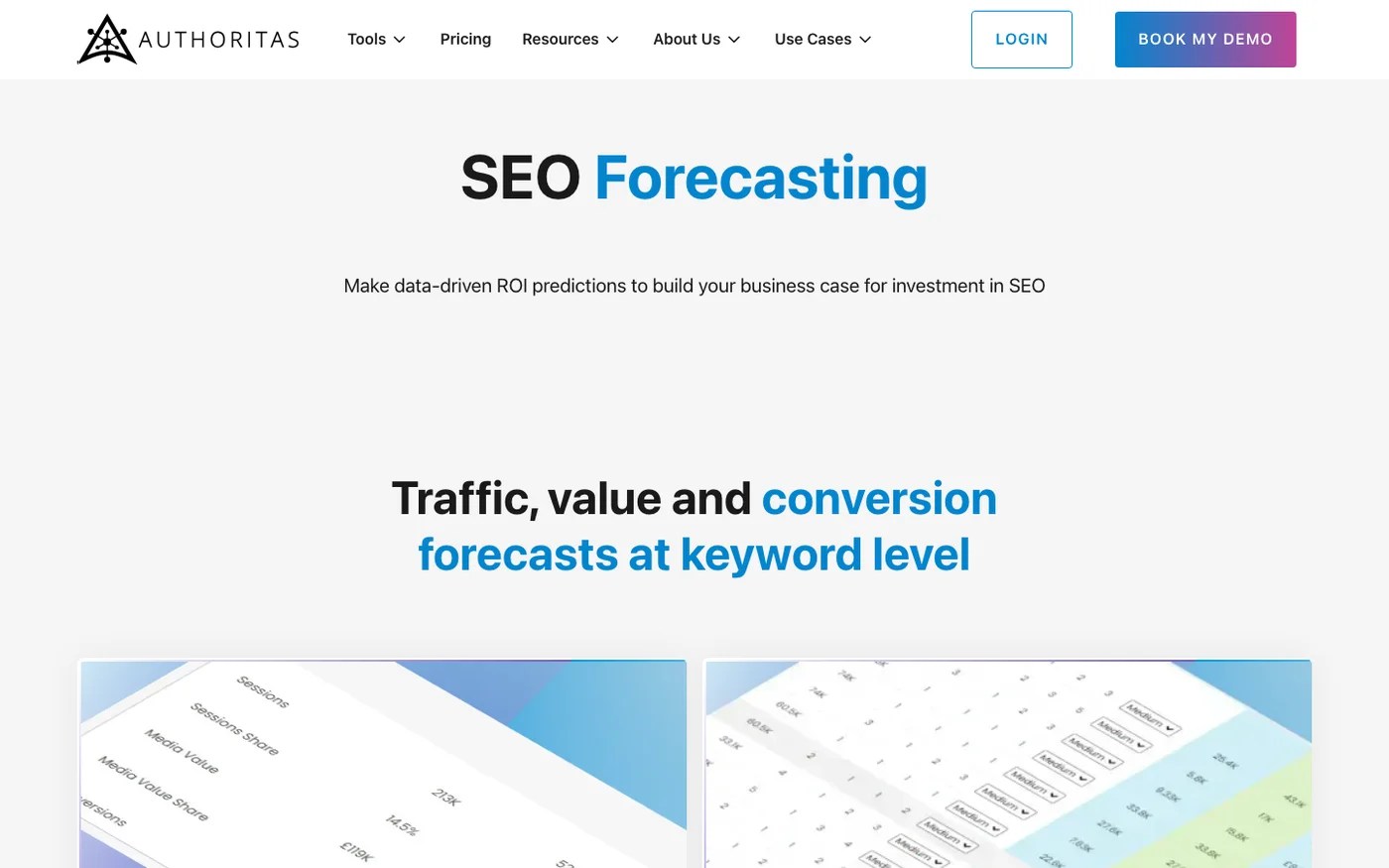
Sliders are underrated in a budget meeting. Authoritas lets you drag forecast rankings and timing up and down, so a stakeholder can watch the number move as their assumptions change.
Pros
- Forecasts work at keyword level for visits, value and conversions.
- You can set custom CTR curves for branded and non-branded terms.
- Grouped keywords help you compare opportunities and decide where to spend.
Cons
- I didn’t test it, because it needs a demo.
- I couldn’t read a price on its pricing page.
- It relies on keywords already in the platform.
Key features
- Simple and advanced calculators. Two sliders for a quick view, with more control if you want it.
- Time horizon. Choose how many months and weeks to forecast.
- Keyword tables. A summary plus detail for each keyword.
Authoritas pricing
Prices aren’t on the page I could read, so check its pricing page or book a demo.
Who should use Authoritas?
Teams that build forecasts live with stakeholders and want to show how assumptions change the answer.
7. Jorge Horst’s SEO Forecast Calculator: Best for keywords across several markets

Paste your keywords, volumes and positions, and this free calculator does the classic math in front of you. It also taught me the most about why that math goes wrong.
Pros
- It got my long-tail terms about right. Todoist review came out at 10 clicks a month against 9 in 28 days, and WordPress SEO services at 11 against 9.
- You can rebuild the CTR curve from a Search Console queries export, and AI Overviews take their share of clicks.
- Results split by market, and a ramp stops clicks arriving overnight.
Cons
- My nine queries came out at 3,160 clicks a month against 97 real clicks in 28 days, because one head term with a 60,500 volume contributed 3,086 of them. That query brought me 10.
- Positions past 10 count as zero, yet my queries at 14, 18 and 20 brought in 29 clicks.
- The answer is only as good as the volume you paste in.
Key features
- Editable assumptions. Target position, click loss from AI Overviews, ramp and months.
- Per-keyword table. You can spot the one term distorting the total.
- Private by default. Nothing leaves your browser, and it asks for no email.
Jorge Horst’s SEO Forecast Calculator pricing
It’s free, with no email.
Who should use Jorge Horst’s SEO Forecast Calculator?
Anyone forecasting a defined list of target keywords, especially across countries. Read the per-keyword table before you share the total.
8. iSocialWeb: Best for a quick estimate of when SEO pays back

Type a domain and you get three scenarios in seconds. iSocialWeb is an SEO agency, and it finds the keywords you have close to the top three, then estimates what moving them could bring.
Pros
- You don’t need any data of your own.
- Conservative, likely and optimistic scenarios give you a range, with a month-by-month ramp.
- You can add customer value and conversion rate to see when the spend pays back.
Cons
- It started high for my site, with about 485 US visits a month against 258 US clicks in 28 days.
- It forecasts extra visits of 1,123 to 3,369 a month by month 12, without showing the keyword math behind them.
- Without your own figures, it values visits at Google Ads prices, and the page leads into the agency’s SEO plan.
Key features
- Domain lookup. It covers the US, UK, Canada and Australia.
- Keyword shortlist. It looks at terms between positions 4 and 20.
- Payback month. It estimates when revenue overtakes cost.
iSocialWeb pricing
The forecast is free, with no signup. A form below the results asks for your details if you want the plan.
Who should use iSocialWeb?
Founders who want a first look before talking to anyone. It’s a sense check for a conversation and not a number for your board.
9. Forecast Forge: Best for marketers who forecast in Google Sheets

Forecast Forge puts a machine learning model inside the spreadsheet you already use. It’s built on the algorithm Facebook developed, Prophet, and you don’t need a data science team to run it.
Pros
- It works with any data you can bring into a spreadsheet.
- You can add what the model can’t know, such as product launches and planned media spend.
- A paid plan includes a free 60-minute video consultation.
Cons
- I didn’t test it, because it needs an account and my test stuck to free tools.
- It’s a general forecasting add-on, so you’ll supply the SEO thinking.
- My test of the underlying model missed badly on default settings, as you’ll see below.
Key features
- Sheets add-on. Reports and dashboards stay in a tool your team knows.
- Business inputs. Dates and spend can feed the forecast.
- Free demo. You can book 30 minutes to see what it can and can’t do.
Forecast Forge pricing
It costs $20 a month, or $200 a year. You can create a free account and pay later.
Who should use Forecast Forge?
Marketers who live in Sheets and know a launch or a sale is coming that past data won’t show.
10. Prophet: Best for teams with an analyst

Prophet is Meta’s free, open-source forecasting library, and Ahrefs’s guide to SEO forecasting uses it too. You give it dates and values in Python or R, and you control nearly everything.
Pros
- It’s free and handles seasonality and holidays.
- You can tune it, add events and run it across thousands of pages.
- It gives you a low-to-high range by default.
Cons
- On default settings it forecast 2,742 clicks for my hidden quarter, with a range of 2,254 to 3,232. The real number, 3,874, sat outside that range.
- You need someone comfortable installing and running code.
- Seasonality needs more history than a young site has.
Key features
- Trend changepoints. It looks for shifts in growth.
- Seasonality and holidays. Weekly and yearly patterns are built in.
- Uncertainty intervals. Every forecast comes with a band.
Prophet pricing
It’s free and open source.
Who should use Prophet?
Teams with an analyst who’ll backtest it and tune it. Out of the box, on a site growing quickly, it trailed behind.
11. Google Sheets: Best for a rough forecast with no new tool

You already have it, and it may be enough for a first draft. One catch from my test is that FORECAST.ETS, the exponential smoothing function you may have seen recommended, is an Excel function, and Sheets returns a #NAME error. In Sheets, you’re mostly working with FORECAST.LINEAR.
Pros
- It’s free, and everyone on your team can see the formula.
- A straight line is easy to explain.
- You can add your own scenarios beside it.
Cons
- The answer depends on the window you pick. All 55 weeks gave me 1,378 clicks, and the last 8 weeks gave me 5,015. The real number was 3,874.
- There’s no range unless you build one.
- It knows nothing about seasonality or updates.
Key features
- FORECAST.LINEAR. Fits a straight line through your data.
- TREND and GROWTH. Other ways to extend a series.
- Search Console connection. You can export directly to Sheets.
Google Sheets pricing
It’s free with a Google account.
Who should use Google Sheets?
Anyone who needs a rough number today and will say out loud that it’s rough. Try two windows, and show both.
Time-series forecast or keyword forecast?
The answer depends on the question you’ve been asked.
A time-series forecast answers “where will traffic go if we keep doing what we’re doing?” It extends your own history, so it needs a year or more of data and can’t see pages you haven’t published. Patrick Stox’s tool, Prophet, Forecast Forge and Sheets all work this way.
A keyword forecast answers “what could we get if we win these rankings?” It multiplies volume by CTR at a target position, so it can price a new project, and it also inherits every error in those inputs. SEOmonitor, AccuRanker, SE Ranking, Authoritas, Jorge Horst’s calculator and iSocialWeb start here.
If you need both, use the time series for your baseline and the keyword forecast for the extra work you’re asking to fund.
How accurate are SEO forecasts?
Phil’s 30% sets a low bar, and my test shows how easy it is to miss by more than you’d think. Here’s what each method forecast for the same 13 hidden weeks.
| Method | Forecast | Compared with 3,874 real clicks |
| Patrick Stox’s SEO Forecast, automatic model | About 3,860 | About 0.4% under |
| Last week’s clicks held flat | 3,419 | 12% under |
| Prophet, default settings | 2,742 | 29% under |
| Google Sheets, linear on the last 8 weeks | 5,015 | 29% over |
| Google Sheets, linear on all 55 weeks | 1,378 | 64% under |
I wouldn’t read that top row as proof of anything. The tool warned me it had too little history to backtest, and the weekly numbers ranged from 160 to 446, so it hit the total more than it hit any week. In my experience, a forecast’s total is usually steadier than its months.

Keyword forecasts carry a different risk, because they start with a volume nobody can verify. Semrush says “seo forecasting tool” gets 2,400 searches a month in the US, and SE Ranking says 70. That’s about 34 times apart before you’ve multiplied by anything.
How to choose the right SEO forecasting tool
Start with your history. With more than a year of clean data, begin with Patrick Stox’s tool, and add Prophet if you have an analyst. A shorter history, or a site that doesn’t exist yet, calls for a keyword forecast.
Then look at who the forecast is for. Agencies pitching clients will get the most from SEOmonitor, because the forecast stays attached to the account. In-house teams already paying for a suite should try what they have before they buy anything.
Budget comes last. Five of these tools cost nothing, so try those first. A paid tool should save you time every month, and if you only forecast once a year, it probably won’t.
How to present an SEO forecast to your CFO
- Lead with a range. Say “between X and Y, and here’s what would move us to either end.”
- Show the assumptions. Name the volumes, CTRs and ship dates you used, so nobody has to guess.
- Separate the baseline from the bet. Show what happens if you keep going, then what the new spend adds.
- Turn it into money. A free SEO ROI calculator can take the traffic through to payback and cost per customer, and you can compare the result with what B2B SaaS SEO agencies charge.
- Agree when you’ll check it. Compare actuals with the forecast each month and report the SEO KPIs leadership reads.
Frequently asked questions about SEO forecasting tools
What is the best free SEO forecasting tool?
Patrick Stox’s SEO Forecast was the most useful free tool in my test, because it works from your own data and shows a range. For a list of target keywords, Jorge Horst’s calculator is a good free alternative.
How do you forecast SEO traffic?
There are two common ways. You can extend your past clicks forward with a time-series model, or you can multiply each keyword’s search volume by the CTR at your target position, then by your conversion rate. Many teams use the first for a baseline and the second for new projects.
How accurate are SEO forecasts?
Treat them as ranges, because accuracy varies widely by method. On the same 13 weeks of my data, five methods landed anywhere from 64% under to 29% over. Short histories, updates and head terms with large volumes tend to cause the biggest misses.
Does Ahrefs or Semrush have an SEO forecasting tool?
Ahrefs’s guide points to spreadsheets, its Traffic Potential metric and models such as Prophet instead of a dedicated forecasting tool. Semrush’s enterprise product lists forecasting among its features, and I didn’t test it for this list.
How far ahead can you forecast SEO?
In my experience, three to six months is usually a reasonable planning window, and anything past 12 months is closer to a scenario than a forecast. Bands widen as you go further out, and Search Console only keeps 16 months of data in its reports.
Get a number you can defend
Phil gets 364 days off after a forecast. You’ll get asked again next quarter, so pick the tool that fits your data, show the range and check it every month.
If your forecast says the traffic should be there and you’re not sure which pages to build first, book a call with me.