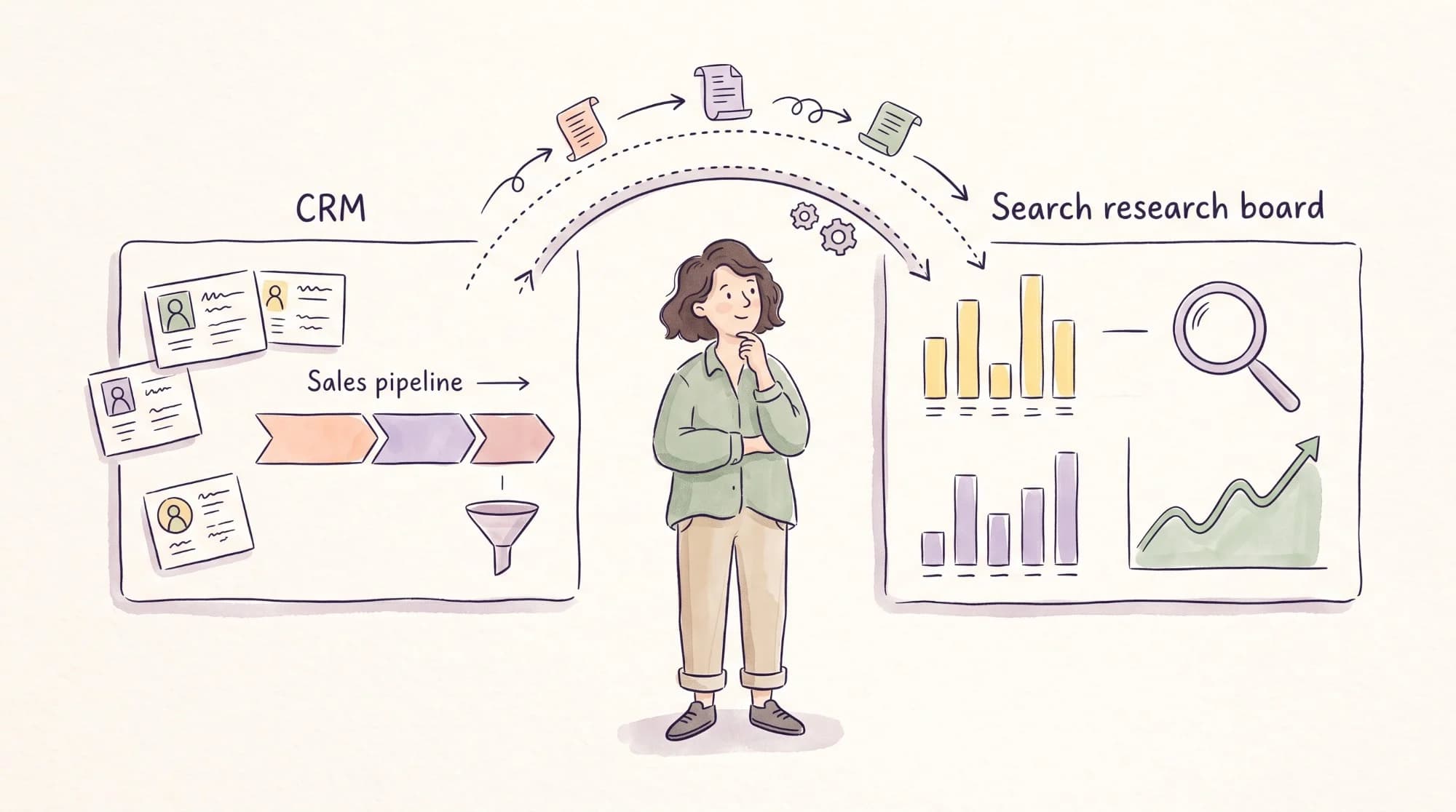

Your writers want Surfer. Your SEO lead wants to keep Semrush. And finance wants to know why the team needs two tools that both claim to help content rank.
The two overlap less than their marketing suggests. Semrush is a full SEO platform that tells you what to write about, who you’re competing with, and whether your pages are ranking. Surfer is a content optimization tool that helps a writer shape a specific draft so it covers what the top-ranking pages cover. One answers “what should we publish?” and the other answers “is this draft ready?”
The harder questions come after that. Will a content score make your writing sound like everyone else’s? Can Semrush’s content tools replace Surfer so you pay one vendor? Should either tool write drafts? This comparison answers those, along with what each costs for a real team. I write SEO content for B2B SaaS companies, including Zapier and HubSpot, and every price below comes from the vendors’ own pages as of September 2026.
Surfer SEO vs Semrush at a glance
Here’s the side-by-side view. Prices are per month on annual billing, since that’s how Surfer lists its plans.
| Surfer | Semrush | |
| Best for | Writers and editors optimizing individual drafts | SEO leads planning, researching, and tracking a whole program |
| Main job | On-page content optimization | Keyword, competitor, backlink, and ranking data |
| Entry price (annual billing) | $49/month (Discovery) | $117.33/month (SEO plan) |
| Content optimization | Content Editor on every paid plan | Content Toolkit ($60/month) or the Pro+ plan and above |
| Keyword and competitor research | Keyword Research and Topical Map for topic clusters | Full keyword database, Keyword Gap, and domain analysis |
| Backlink data | Not included | Included |
| Rank tracking | Tracks your pages’ performance (10–500 pages by plan) | 500 keywords tracked daily on the SEO plan |
| AI search tracking | AI Tracker, from 25 ChatGPT prompts refreshed weekly on Standard | Prompt tracking from the $199/month Starter plan |
| Users included | 1 on Discovery, 3 on Standard, 5 on Pro | Extra users from $45/month (SEO plans) or $20/month (Content Toolkit) |
| Capterra rating | 4.9 from 422 reviews | 4.6 from 2,329 reviews |
If your team already has a research tool and needs help writing better drafts, Surfer fills the gap. If you need to decide what to publish and prove it’s working, Semrush does that job, and Surfer can’t replace it.

How I compared Surfer and Semrush
I’ve used both tools on client work. Semrush is part of my regular workflow for keyword research, competitor analysis, and content planning, and I’ve used Surfer on client projects in the past. Because Surfer has added features since then, including its AI Tracker, the Surfer sections draw on its current product pages and pricing, and on what its users report in reviews.
What each tool does
Surfer is built around its Content Editor. You enter a target keyword, Surfer analyzes the pages ranking for it, and it scores your draft in real time on how well it covers the terms, structure, and length those pages share. Around the editor, Surfer offers Keyword Research and a Topical Map for planning topic clusters, a Content Audit that flags underperforming pages, an AI writing assistant called Surfy, and an AI Tracker for ChatGPT, Perplexity, Gemini, and Google’s AI Overviews and AI Mode. It works inside Google Docs, WordPress, and Chrome. More than 150,000 content creators, SEOs, agencies, and teams use it, by the company’s count.

Semrush is an all-in-one SEO and marketing platform. Its SEO toolkit covers keyword research, competitor analysis, backlinks, site audits, and daily rank tracking, and its newer plans add AI visibility tracking across ChatGPT, Perplexity, and Gemini. Semrush also sells a separate Content Toolkit for $60 a month on annual billing, with content ideas, AI and SEO content optimization, and AI drafting in your brand voice.

| Surfer | Semrush | |
| Pros | Live content score inside Google Docs and WordPress; several seats included from $99/month; lower entry price | Full keyword, competitor, and backlink data; daily rank tracking on every plan; AI visibility tracking from the Starter plan |
| Cons | No backlink data and limited competitor research; the pricing page shows annual prices only | Content optimization costs extra; extra users from $45/month; a learning curve for writers |
Will Surfer make your content sound like everyone else’s?
It can, if your team treats the content score as the goal. Surfer builds its recommendations from the pages already ranking, so a draft that chases a high score will tend to cover the same terms, in a similar structure, at a similar length as the competitors. That’s useful for catching gaps. It’s a problem when the score starts deciding what your article says.
The risk is sharpest for the content you most want to stand out. A comparison page built on your own product knowledge, an opinion piece, or an article with original data may score lower precisely because the top-ranking pages don’t contain what it adds. If writers are rewarded for the number, they’ll cut the parts that make the piece worth reading. Content scores are only one reason drafts converge: the same search results, keyword tools, and AI models also make B2B SaaS content sound the same.
A few editorial rules keep the score useful without letting it run the piece.
- Set a floor, not a target. Agree on a minimum score that tells you a draft hasn’t missed an obvious subtopic, and don’t reward writers for pushing past it.
- Review the term list before writing. Remove terms that don’t fit your audience or product, so the writer isn’t nudged toward irrelevant keywords.
- Keep the score out of final approval. Editors should approve drafts on accuracy, argument, brand voice, and usefulness, with the score as one input.
- Protect original material. Firsthand examples, customer quotes, and your own data should never be cut to improve a score.
Semrush’s content optimization raises the same question, since it also compares your draft with competing pages. The rule applies to either tool. Use optimization software to find what’s missing, and use editorial judgment to decide what belongs.
Can Semrush’s Content Toolkit replace Surfer?
For some teams, yes. If you want one vendor, Semrush’s Content Toolkit adds content ideas, content optimization, and AI drafting to the research tools you’d already have. It costs $60 a month on annual billing, includes five SEO content boosts a month, and each extra user costs $20 a month. Content optimization is also built into Semrush’s Pro+ plan and above. Semrush’s SEO Writing Assistant works in a similar way, scoring a draft against a target on readability, SEO, originality, and tone of voice.

Consolidating makes the most sense when one or two people do both the research and the optimization, since you avoid a second login and a second contract. It makes less sense when you have several writers who optimize drafts every day. The Content Editor is Surfer’s core product, and reviewers who write daily often prefer it for that reason. Surfer’s plans include multiple seats, while Semrush charges $20 a month for each extra Content Toolkit user.
Before you consolidate, run the same brief through both. Have a writer optimize one article in Surfer’s Content Editor and another in Semrush’s Content Toolkit, then ask the writer and editor which one they’d use every day. The tool your writers keep open is the one that pays off.
Where each tool fits in your editorial workflow
The easiest way to decide is to map each stage of your process to the tool that does that stage best.
| Stage | Semrush | Surfer |
| Choosing topics | Keyword research, Keyword Gap, and competitor pages | Keyword Research and Topical Map for clusters around a topic |
| Writing briefs | Content ideas and optimization guidance in the Content Toolkit | Content Editor guidelines shared with the writer |
| Drafting | Content optimization (Content Toolkit or Pro+) | Live score and term list in Google Docs or WordPress |
| Editing and QA | Checks against competing pages | Score as a coverage check before approval |
| Tracking results | Daily rank tracking, traffic, and AI visibility | Page performance tracking and AI Tracker |
| Refreshing old content | Lost keywords and ranking drops | Content Audit plus the editor for the rewrite |
In practice, teams that use both usually split them by role. The SEO lead or strategist uses Semrush to pick topics, size opportunities, and report on rankings. Writers use Surfer inside their drafts. The split works because Surfer includes seats, so writers don’t need their own Semrush logins.
Freelancers deserve a thought here. If you work with outside writers, check how each tool handles access. Surfer’s included seats make it easier to add a freelancer, while each extra Semrush user costs $45 a month on the SEO plans or $20 on the Content Toolkit. Some teams skip logins entirely and put the optimization guidelines straight into the brief.
In Semrush, I’ve found Keyword Gap is where most content ideas start, but the raw export needs editing. I filter it down to the searches that match a real buying question before anything goes into a plan, since a list of every term a competitor ranks for isn’t a strategy.

Should you let Surfer or Semrush write your drafts?
Both tools offer AI drafting, through Surfer’s AI features and Semrush’s Content Toolkit. Google doesn’t ban AI-written content, but it sets a clear line. Its guidance on generative AI content asks site owners to “focus on accuracy, quality, and relevance,” and its spam policies list “using generative AI tools or other similar tools to generate many pages without adding value for users” as an example of scaled content abuse.
For a B2B content team, the practical risk goes beyond search. AI drafts built from the same top-ranking pages tend to repeat what those pages say, and they can’t add your product knowledge, your customers’ language, or your own results. Those are the things that make buyers trust a page, and they’re what AI answer engines have a reason to cite.
A safer split is to let the tools help with the parts that don’t define the article.
- Use AI for outlines, first-pass research summaries, and meta description options.
- Keep a person on the argument, examples, product details, and final edit.
- Verify every statistic and product claim an AI draft includes before it’s published.
That keeps the speed benefit without publishing articles that sound like every other result for the same keyword.
Which tool helps you prove content is working?
Semrush, by a clear margin. It tracks rankings daily, shows estimated traffic and traffic cost for your pages, reports lost and gained keywords, and tracks AI visibility on its higher plans. Those are the numbers leadership asks for, and they connect content to outcomes you can report each quarter. If your pipeline data lives in HubSpot, Semrush and HubSpot can work together for reporting, with rankings in one and pipeline in the other.

Surfer tracks the performance of the pages you’ve optimized, from 10 pages on Discovery to 500 on Peace of Mind, and its AI Tracker shows how your brand appears in AI answers. That helps a writer see whether an optimized page improved, but it isn’t a replacement for program-level reporting.
On AI search specifically, compare the details. Surfer’s Standard plan tracks 25 prompts in ChatGPT, refreshed weekly, and Pro tracks 50 across all supported AI models, refreshed daily. Surfer also sells AI Search Analytics on its own for $82 a month on annual billing. Semrush’s Starter plan tracks 50 prompts daily for $199 a month, or $165.17 on annual billing, and Pro+ raises that to 100. The roundup of AI visibility tools covers dedicated options if you need more.
What Surfer and Semrush cost for your team
Surfer lists its prices on annual billing, so this table uses annual prices for both tools.
| Plan | Price per month (annual billing) | Users included | What it’s built for |
| Surfer Discovery | $49 | 1 | A single writer optimizing content |
| Surfer Standard | $99 | 3 | Small writing teams, with 25 AI Tracker prompts |
| Surfer Pro | $182 | 5 | Larger teams, with 50 daily AI Tracker prompts |
| Surfer Peace of Mind | $299 | 10 | High-volume teams, with 100 daily AI Tracker prompts |
| Semrush SEO | $117.33 | 1, extra users from $45 | Keyword, competitor, backlink, and rank data |
| Semrush Starter | $165.17 | 1, extra users from $45 | Adds 50 daily AI prompts |
| Semrush Pro+ | $248.17 | 1, extra users from $45 | Adds content optimization and more tracking |
| Semrush Content Toolkit | $60 | 1, extra users $20 | Content ideas, optimization, and AI drafting |
Prices come from Surfer’s pricing page, Semrush’s pricing page, and the Content Toolkit pricing page.

For a team with one SEO lead and two writers, the options look like this.
| Setup | Monthly cost (annual billing) | What you get |
| Semrush SEO plan for the SEO lead, plus Surfer Standard for writers | About $216 | Semrush research for the lead, and Surfer’s editor for three people |
| Semrush SEO plan for the SEO lead, plus the Content Toolkit with two extra users | About $217 | Semrush research for the lead, and Semrush’s content tools for three people |
| Semrush SEO plan and Content Toolkit, with two extra users on each | About $307 | Full Semrush research and content tools for everyone |
| Surfer Standard alone | $99 | Content optimization and AI tracking, but no competitor or backlink data |

For this team, adding Surfer and adding Semrush’s Content Toolkit cost almost exactly the same, so price shouldn’t decide it. Have your writers test both editors and pick the one they’ll use every day. Giving everyone full Semrush access costs about $90 a month more. Confirm the extra-user prices for your plan before you budget, since they can vary with billing terms.
What to check before you sign up
Review sites show one pattern for both tools. On Capterra, Surfer scores 4.9 out of 5 from 422 reviews and Semrush scores 4.6 from 2,329, and reviewers who’ve used both tend to describe Surfer as the better writing tool and Semrush as the broader research platform.
Trustpilot is harsher, as it usually is. Surfer scores 4.2 from 221 reviews, with praise for the Content Editor and complaints about charges after cancellation and unused AI credits that expired. Semrush scores 1.7 from 1,403 reviews, and the negative reviews focus on charges after free trials, the cancellation process, and refunds that were denied.
The complaints for both are about billing rather than the software. So before your team starts a trial or signs an annual contract, check a few things.
- Note the renewal date, and set a reminder a week before a trial ends.
- Read the cancellation terms, and cancel from inside the account if you don’t plan to continue.
- Ask whether unused AI credits roll over or expire.
- Confirm monthly pricing for Surfer if you don’t want an annual commitment, since its pricing page shows annual prices.
Which one should you choose?
Choose Surfer if your research is already handled, whether by an SEO lead, an agency, or another tool, and your writers need help producing drafts that cover each topic thoroughly.
Choose Semrush if you need to decide what to publish, understand your competitors, and report on rankings and AI visibility. Add the Content Toolkit if you want content optimization from the same vendor.
Use both if you have an SEO lead and several writers. Semrush handles research and reporting, and Surfer handles drafting. For a small team, that costs about the same as Semrush’s Content Toolkit and less than giving every writer full Semrush access.
If you’re unsure, test each tool on the job you’d buy it for. Use Semrush’s seven-day trial to build next month’s plan for one topic cluster, from keyword research through competitor gaps. Then have one writer draft an article in Surfer’s Content Editor, and compare it with one written without it. You’ll quickly see whether your bigger gap is deciding what to write or writing it well.
Tools help with both jobs, but neither replaces a writer who understands your product and your buyers. If you’d rather hand off the research and writing together, my SEO content writing service covers both for B2B SaaS teams.
Frequently asked questions about Surfer vs Semrush
Is Surfer better than Semrush?
Surfer is better for optimizing individual drafts, thanks to its real-time Content Editor. Semrush is better for keyword research, competitor analysis, backlinks, and rank tracking. They do different jobs, so the better choice depends on whether your team’s bigger gap is planning content or writing it.
Can Semrush replace Surfer?
Partly. Semrush’s Content Toolkit, which costs $60 a month on annual billing, and its Pro+ plan include content optimization that covers similar ground to Surfer’s Content Editor. Writers who optimize content every day often prefer Surfer’s editor, but teams that want a single vendor can use Semrush for both.
Does Surfer have keyword research?
Yes, but it’s narrower than Semrush’s. Surfer’s Keyword Research turns a seed keyword into topic clusters with search volume, intent, and difficulty, and its Topical Map helps you plan content around a topic. It doesn’t include competitor domain analysis or backlink data, so teams that rely on Surfer usually pair it with a research tool such as Semrush or Ahrefs.
Does a high Surfer content score help you rank?
A content score measures how closely your draft matches the terms and structure of pages already ranking. It can help you catch missing subtopics, but it doesn’t guarantee rankings, and chasing a very high score can make content generic. Treat the score as a coverage check, and judge drafts on accuracy and usefulness.
Is it safe to publish AI drafts from Surfer or Semrush?
Google allows AI-assisted content, but its spam policies treat generating many pages with AI “without adding value for users” as scaled content abuse. Use AI drafting for outlines and first passes, and have a person add product knowledge, examples, and verification before publishing.
Do you need both Surfer and Semrush?
Many teams with an SEO lead and several writers use both, with Semrush for research and tracking and Surfer for drafting. Smaller teams can often manage with Semrush plus its Content Toolkit, as long as the writers are comfortable with its editor.