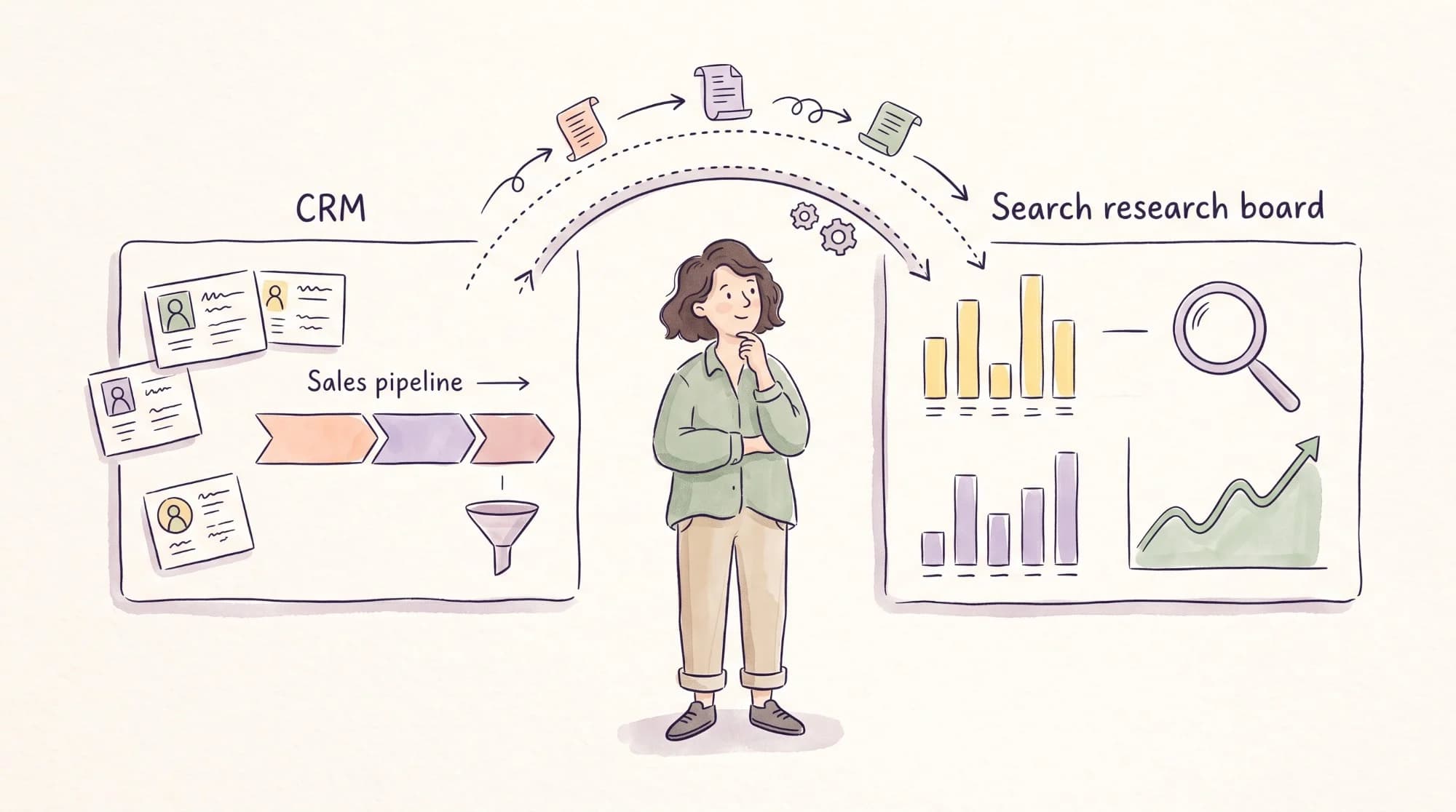

You already pay for HubSpot. It has SEO recommendations, a topic planner, and your Search Console data sitting next to your contacts and deals. So when your SEO lead asks for a Semrush subscription too, it’s fair to ask what you’d be paying for.
The answer comes down to what each tool can see. HubSpot’s SEO tools look at your own site, meaning the pages you publish and the searches you already appear for. Semrush looks at the whole search market, including keywords you don’t rank for yet, the competitors who do, and the backlinks behind them. One helps you improve what you’ve published. The other helps you decide what to publish next.
This comparison covers what HubSpot’s SEO tools do and don’t do, what Semrush adds, which one helps you prove content drives pipeline, and what it costs to run both. Every price comes from each vendor’s own pages as of September 2026.
Semrush vs HubSpot at a glance
HubSpot is a CRM and marketing platform with SEO features. Semrush is an SEO platform with marketing features. That difference shows up in every row.
| HubSpot | Semrush | |
| What it is | CRM, marketing automation, and CMS with built-in SEO tools | SEO and competitive research platform |
| Best for | Optimizing pages and connecting content to contacts and deals | Deciding what to publish and tracking rankings against competitors |
| Keyword research | Search Console data for queries your site already appears for | Full keyword database, including terms you don’t rank for yet |
| Competitor research | Not a core feature | Keyword Gap, domain analysis, and competitor pages |
| Backlink data | Not included | Included |
| Rank tracking | Average position from Search Console | 500 keywords tracked daily on the SEO plan |
| SEO recommendations | Basic on Starter; advanced recommendations and site auditing on Professional | Site Audit and on-page checks |
| Content attribution | Contact create attribution on Professional; deal and revenue attribution on Enterprise | Not included, but reports can pull in HubSpot data |
| AI search tracking | HubSpot AEO (beta), $50/month for 25 prompts | From the $199/month Starter plan, with 50 daily prompts |
| Entry price for SEO features | Marketing Hub Professional, $800/month on annual billing | SEO plan, $139/month or $117.33 on annual billing |
If you’re already on HubSpot, you’re rarely choosing one instead of the other. The real decision is whether HubSpot’s SEO features cover enough of your work, or whether your team needs Semrush alongside it.

How I compared Semrush and HubSpot
I’ve used Semrush for keyword research, competitor analysis, and content planning on client projects. On the HubSpot side, I use HubSpot’s CRM to store and track leads, and I’ve tested HubSpot products while writing articles for HubSpot’s blog. For the SEO and content features I don’t use day to day, the HubSpot sections rely on HubSpot’s product pages, pricing pages, and knowledge base.
What HubSpot’s SEO tools do, and what they don’t
HubSpot’s SEO tools sit inside Marketing Hub and Content Hub, and they’re built around the pages you publish in HubSpot. They cover four main jobs.
- SEO recommendations for your site, prioritized by impact
- Topics, which help you plan content clusters around a subject
- Google Search Console integration, which brings your search queries, impressions, and click-through rates into HubSpot
- In-editor suggestions while you write, including AI-generated titles and meta descriptions
The basic tools start on the Starter tier. Advanced recommendations, full site auditing, and topics come with the Professional and Enterprise tiers of Marketing Hub or Content Hub.
The gaps are just as telling as the features. HubSpot’s SEO page doesn’t list keyword research beyond your Search Console data, competitor analysis, backlink data, or rank tracking. For a team that mostly publishes in HubSpot and optimizes existing pages, that may be enough. For a team trying to grow into new topics, it leaves a large gap.
What Semrush adds that HubSpot can’t
The biggest difference is visibility beyond your own site. Search Console, and therefore HubSpot, only reports queries where your site already earns impressions. It can’t show you a keyword you’ve never appeared for, even if it’s the most valuable search in your category.
Semrush fills that gap in four ways.
- Keyword research across the market. The Keyword Magic Tool shows volume, difficulty, and intent for keywords whether or not you rank for them.
- Competitor gaps. Keyword Gap compares your domain with competitors and shows the searches they win and you don’t.
- Backlinks. You can see who links to competitors and which of their pages earn links.
- Daily rank tracking. Position Tracking checks your target keywords every day, including ones you don’t rank for yet.

In my own work, Keyword Gap is usually where new content ideas start. The raw export needs editing, though. I filter it to the searches that match a real buying question before anything goes into a plan, since a list of every term a competitor ranks for isn’t a strategy on its own.

This is also why HubSpot’s topic planner and Semrush don’t really compete. HubSpot’s topics help you organize content around a subject you’ve already chosen. Semrush helps you find which subjects are worth choosing, based on what buyers search and what competitors already own.
Which one helps you prove content drives pipeline?
HubSpot, and it’s the strongest reason to keep your content reporting there. Because your pages, forms, contacts, and deals live in the same system, HubSpot can connect a blog post to the people and deals it influenced. Semrush can’t, since it doesn’t hold your CRM data.
How far HubSpot takes that depends on your tier. Contact create attribution is available on Marketing Hub and Content Hub Professional. Deal create attribution and revenue attribution are available on Marketing Hub Enterprise only. So on Professional, you can show which pages created contacts, but you’ll need Enterprise to credit content with deals and revenue inside HubSpot. On any tier, a free-text “How did you hear about us?” field is one of the simplest ways to measure content marketing ROI without paid attribution.
Semrush covers the other half of the story. It shows whether your rankings, estimated traffic, and AI visibility are growing, which are the leading indicators that come before pipeline. Its My Reports tool can also pull in HubSpot CRM and Marketing data, including deals, form submissions, and email performance. That lets you put rankings and pipeline in the same report.

If you’re making the case for content to leadership, use both. Show Semrush’s ranking and visibility trends as the leading indicators, and HubSpot’s attribution as the result. The guide to SEO reporting tools covers other ways to combine the two.
Which one tracks AI search better?
HubSpot has the cheaper way in. HubSpot AEO, which is still labeled beta, tracks 25 prompts across ChatGPT, Gemini, and Perplexity for $50 a month, or $45 a month billed annually. It includes competitor share of voice, citation analysis, and prioritized recommendations. It doesn’t require HubSpot’s CMS, and its recommendations get more specific when it’s connected to Marketing Hub Professional or Enterprise.

Semrush’s AI tracking starts on its Starter plan, at $199 a month or $165.17 a month on annual billing, with 50 prompts tracked daily. Pro+ raises that to 100 prompts. The advantage is that AI visibility sits next to your keyword and ranking data, so you can see whether a page that ranks on Google is also being cited in AI answers.
If you only want to start measuring AI visibility, HubSpot AEO is the lower-cost test. If AI search is becoming a core part of your SEO program, Semrush keeps it in the same place as the rest of your search data. The roundup of AI visibility tools compares dedicated trackers if you need more prompts or platforms.
How teams use Semrush and HubSpot together
For teams on HubSpot, the practical setup is often both tools, each handling the stage it’s built for.
| Stage | Tool | What happens |
| Finding topics | Semrush | Keyword research and Keyword Gap show what buyers search and what competitors own |
| Planning clusters | HubSpot or Semrush | HubSpot’s topics organize the cluster, and Semrush sizes each keyword |
| Writing and publishing | HubSpot | Pages go live in HubSpot’s CMS with in-editor SEO suggestions |
| Technical checks | Both | HubSpot recommendations and Semrush Site Audit flag on-page and technical issues |
| Tracking rankings | Semrush | Daily position tracking, including keywords you’re still working toward |
| Measuring pipeline | HubSpot | Attribution reports connect pages to contacts, and on Enterprise, to deals and revenue |
| Reporting to leadership | Both | Semrush My Reports can combine ranking data with HubSpot CRM and marketing data |
The split also keeps seats manageable. The SEO lead or content strategist usually needs Semrush, while writers and marketers work in HubSpot, so you often need only one or two Semrush users. If your writers need a dedicated drafting tool rather than HubSpot’s editor, weigh Surfer SEO vs Semrush for that job.
What Semrush and HubSpot cost
The two are priced for different jobs, so the useful comparison is what Semrush adds to a HubSpot stack you already pay for.
| Plan | Price | Seats | SEO features |
| HubSpot Marketing Hub Starter | $7 per seat/month annually, $20 monthly | 1 | Basic SEO tools |
| HubSpot Marketing Hub Professional | $800/month annually, $890 monthly, plus $3,000 onboarding | 3, extra from $45/month | Advanced recommendations, site auditing, topics, contact attribution |
| HubSpot Marketing Hub Enterprise | From $3,600/month, plus $7,000 onboarding | 5, extra from $75/month | Adds deal and revenue attribution |
| HubSpot Content Hub Professional | $450/month | 3, extra from $45/month | Advanced recommendations, site auditing, topics |
| HubSpot AEO (beta) | $50/month, or $45 billed annually | Standalone | 25 AI prompts across three engines |
| Semrush SEO | $139/month, or $117.33 billed annually | 1, extra from $45/month | Keyword, competitor, backlink, and rank data |
| Semrush Starter | $199/month, or $165.17 billed annually | 1, extra from $45/month | Adds 50 daily AI prompts |
Prices come from HubSpot’s Marketing Hub pricing, Content Hub pricing, and Semrush’s pricing page.
For a team already on Marketing Hub Professional, adding one Semrush SEO seat costs $117.33 a month on annual billing, about 15% of what you’re paying for HubSpot. That’s the number to put in front of finance, since the extra spend buys the market and competitor data your current platform doesn’t have rather than a second marketing platform.

The reverse doesn’t hold. If you’re not on HubSpot, buying Marketing Hub Professional for its SEO tools alone would cost far more than Semrush and still leave out keyword research, competitor analysis, and backlinks. Choose HubSpot for its CRM, automation, and attribution, and choose an SEO platform for SEO.
How to tell whether HubSpot’s SEO tools are enough
You can answer this with your own data before you spend anything. Start with five questions.
- Are you trying to rank for topics your site doesn’t appear for yet? Search Console, and so HubSpot, can’t show demand you have no impressions for.
- Do you need to know which competitors own the buying searches in your category, and which of their pages win them?
- Do you report on a fixed list of target keywords every week or month?
- Does your team do link building or digital PR, where backlink data shapes who you contact?
- Do any of your writers publish outside HubSpot’s CMS? HubSpot’s in-editor SEO suggestions only help pages built in HubSpot.
If you answered yes to any of the first four, HubSpot’s SEO tools will leave a gap, and Semrush is built to fill it. If you answered no to all of them, HubSpot’s recommendations, Search Console data, and HubSpot AEO can carry you for now.
For a sharper answer, run one test during Semrush’s seven-day trial. Put your domain and three close competitors into Keyword Gap, and filter for commercial searches, like comparison, alternatives, and “best” keywords, where a competitor ranks in the top 10. Then check those keywords against your Search Console data in HubSpot.
Every keyword on that list where you have zero impressions is demand HubSpot can’t show you. If the list is short, your current setup already covers the searches closest to your pipeline. If it’s long, you’ve found the case for adding Semrush, and a ready-made list of pages to build first. The process for finding bottom-of-funnel keywords covers how to prioritize them.
Which one should you choose?
Add Semrush to HubSpot if you publish regularly, compete for commercial keywords, or need to find topics beyond the searches you already appear for. It’s the setup I’d recommend for B2B content teams on HubSpot.
Stick with HubSpot’s SEO tools for now if you publish a few pieces a month, mostly optimize existing pages, and aren’t yet competing for new keywords. Search Console data, HubSpot’s recommendations, and HubSpot AEO can cover the basics.
Choose Semrush on its own if you’re not on HubSpot and need SEO research and tracking. Buying HubSpot for its SEO features alone isn’t a good use of budget.
Plan for Marketing Hub Enterprise if proving content revenue inside your CRM is a priority, since deal and revenue attribution aren’t available on Professional.
If you’d like help deciding what to publish and turning it into content that ranks and shows up in pipeline reports, that’s the work I do as a B2B SEO consultant.
Frequently asked questions about Semrush vs HubSpot
Does HubSpot have keyword research?
HubSpot’s SEO tools pull keyword data from Google Search Console, so they cover the searches your site already appears for. For market-wide keyword and competitor research, including terms you don’t rank for yet, teams usually add a tool like Semrush.
Does HubSpot integrate with Semrush?
Yes. Semrush’s My Reports tool can pull in HubSpot CRM data, such as deals and contacts, and HubSpot Marketing data, such as form submissions and email performance, so you can report rankings and pipeline together. Teams can also connect the two through Zapier.
Can HubSpot track keyword rankings?
HubSpot shows average position for your queries through its Google Search Console integration, but it isn’t a dedicated rank tracker. For daily tracking of specific target keywords, including ones you don’t rank for yet, you need a tool like Semrush’s Position Tracking.
Which HubSpot plan includes SEO recommendations?
Basic SEO tools start on HubSpot’s Starter tier. Advanced recommendations, full site auditing, and topics come with the Professional and Enterprise tiers of Marketing Hub and Content Hub.
Is HubSpot AEO worth it?
HubSpot AEO is a low-cost way to start tracking AI visibility, at $50 a month for 25 prompts across ChatGPT, Gemini, and Perplexity. It’s still in beta, and it covers fewer prompts than Semrush’s AI plans, so it suits teams testing AI tracking before committing to a larger tool.
Should a startup use Semrush or HubSpot?
They solve different problems. A startup that needs a CRM and marketing automation should look at HubSpot, and one that needs to grow organic search should look at Semrush. A common path is to start with HubSpot’s free or Starter tools for the CRM, then add Semrush once SEO becomes a real channel.