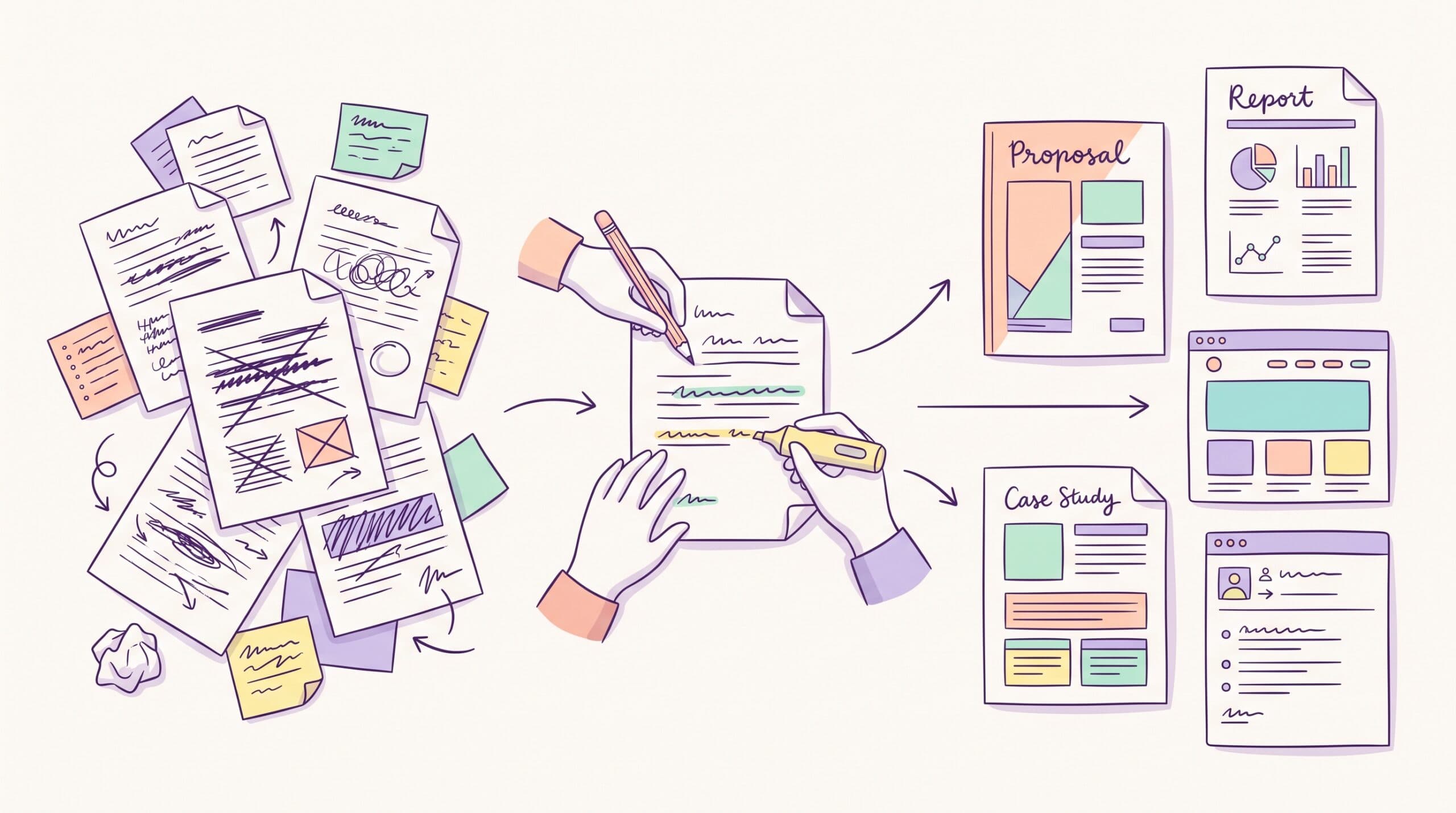
A lot of SEO content ranks and still fails.
It brings in traffic but never builds trust, influences buying decisions, or turns readers into customers. The article technically “targets the keyword,” but it reads as if it were written to satisfy an algorithm rather than to help a real person.
That approach doesn’t work anymore.
Today, SEO content needs to do two things at the same time: help search engines understand the page and give readers a genuinely useful experience once they land on it. Especially in B2B SaaS, where content needs to support positioning, educate buyers, and contribute to pipeline, not just pageviews.
In this guide, I’ll show you how I write SEO content that ranks in Google, gets cited by AI search tools like ChatGPT and Perplexity, and helps turn readers into customers. The process comes from my experience writing for B2B SaaS companies like HubSpot, Zapier, Vimeo, Sinch, and Paddle.
How to write content for SEO in 15 steps
Strong SEO content starts long before the drafting stage.
The research and planning work you do upfront often determines whether the article ranks, converts, or disappears into page seven of Google.
Here’s what to focus on before you start writing.
Step 1: Pick a keyword that your buyer would search for
One of the biggest mistakes I’ve noticed with SEO content writing is choosing keywords based ONLY on search volume.
Higher traffic numbers look exciting in a spreadsheet, but they don’t always translate into revenue.
When next you open Ahrefs (or your favorite SEO tool), all excited about search volume, ask this:
- What would my buyer search right before my product becomes relevant?
That question usually leads to better opportunities.
For example, someone searching “what is customer engagement?” is likely researching a concept. Someone searching for “best customer engagement platforms” is much closer to evaluating solutions.
The second keyword may have lower search volume, but it often carries far stronger buying intent.
Here’s how I typically perform keyword research for clients (you can swipe it too).
I start with the problems the product solves. I’ll sit down and list those problems in plain English first. Things like:
- Poor lead routing
- Messy onboarding workflows
- Reporting bottlenecks
- Low email deliverability
- Weak customer engagement
Then I take those problem statements into tools like Ahrefs or Semrush and start looking for keywords tied to buying intent.
Usually, that means searching for modifiers like:
- Best
- Software
- Platform
- Tool
- Service
- How to
- Alternative
- For [audience]
- Vs
That’s where a lot of strong bottom-of-funnel opportunities show up. If you want to go deeper on how this connects to revenue, I covered it in my guide to bottom-of-funnel content.
Another thing I do early is competitor keyword research.
I’ll plug competitor domains into Ahrefs or Semrush and sort their ranking keywords by CPC.
High CPC keywords usually signal strong commercial intent because companies are willing to spend heavily to advertise on them.
I also look heavily at competitor comparison keywords because those searches tend to convert extremely well.
Things like:
- “[Competitor] alternatives”
- “[Competitor] vs [competitor]”
- “Best alternatives to [tool]”
Even when those keywords have low search volume, the people searching them are usually very close to making a buying decision.
You’re trying to attract the small group of people already looking for a solution like yours.
Another angle I like is combining category keywords with personas.
So instead of just targeting “CRM software,” you target:
- “CRM software for startups”
- “CRM for recruiters”
- “Email marketing software for ecommerce brands”

Those searches attract the right audience because the buyer sees themselves reflected directly in the query.
Step 2: Thoroughly research search intent
Weak SEO articles have the same root problem: shallow research.
Writers skim the first few search results, copy the existing structure, and end up publishing another version of the same article already ranking online.
Good SEO writing requires deeper research into intent.
Before drafting, spend time understanding:
- What searchers actually want
- What formats dominate the SERP
- What existing articles are missing
- Which subtopics repeatedly appear
- How AI search engines frame the topic
A simple research process looks like this:
- Read the top 10 ranking pages. Note the dominant format. Are they listicles, step-by-step articles, comparisons, or a definition piece?
- Pull People Also Ask and related searches. These sections help uncover additional questions readers have around the topic. They become FAQ entries, subheadings, or context you weave into the body.
- Run the query through LLMs. Pay attention to which sources are cited, which subtopics recur, and how answers are structured. If your article ignores those subtopics, it becomes less likely to earn citations in AI search.
- Check the SERP for features. Featured snippet, video carousel, and AI Overview. Each feature tells you something about the format. A featured snippet means there’s a definition or list to win.
- Search Reddit and category-specific forums. This is one of the best ways to understand how real people describe their problems.
By the end of your research phase, you should be able to summarize what the searcher wants, what existing content misses, and what angle your article will take.
That’s the real output of intent research.
Not a spreadsheet full of keywords. A short internal briefing that says:
Here’s what the reader is trying to solve, here’s what competitors failed to explain, and here’s how we’re going to make this article more useful.
If I can’t write that paragraph yet, I’m probably not ready to start drafting.
The same process applies when I’m sourcing expert insights for an article. The quality of the final piece usually comes down to the quality of the research behind it.
Once the research is done, the next step is turning your ideas into content people want to read.
Here’s how to make your SEO content more engaging, useful, and easier to rank.
Step 3: Build an outline
The last thing I do before writing is build a quick outline.
It doesn’t need to be elaborate. For me, it’s usually a list of H2s and H3s with two or three bullet points under each one. The bullets are the key points I want to make in that section.
The outline does two jobs. It catches structural problems early, while they’re still cheap to fix. And it gives me a track to run on while I’m drafting, so I’m not staring at a blank page wondering what the next section is about.
Step 4: Use descriptive headers
Headers are easy to phone in. Most writers do.
But headers do a lot of work in SEO content. They help Google understand what each section is about. They help AI search tools summarize the page. And they help readers decide whether to keep reading or scroll past.
So I try to make every H2 and H3 do two things at once. Include the keyword (or a close variant). And tell the reader who the section is for or what specific outcome it’ll deliver.
The difference is small, but it adds up.
Compare these headers:
| Generic header | Descriptive header |
| Keyword research | Keyword research for buyer-intent topics |
| On-page SEO | On-page SEO checklist for long-form blog posts |
| Common mistakes | Mistakes B2B SaaS marketing teams make in their first content hire |
The descriptive version takes maybe ten extra seconds to write. But they are also clearer, more descriptive, and more useful to both readers and search engines.
Step 5: Hook the reader with the opening
You only get a few sentences to convince a reader they’re in the right place.
That’s especially true for SEO content, because the reader probably arrived from a search result with a specific question in mind. If they don’t see signs that you’re going to answer it within the first 100 words, they leave.
The intros that lose readers usually open in one of three ways.
With “In today’s competitive landscape.” With a statistic about content marketing. Or with a definition of the topic. All three signal that the reader is about to read a generic article.
The intros that hold readers usually do the opposite.
They name the problem the reader is in right now, acknowledge what’s going wrong, and tell the reader what the article is going to give them.
Here’s a simple framework that works well here:
- Identify the problem
- Explain why it matters
- Show what the article will help them do
Your introduction should feel useful immediately.
If it reads like marketing copy rather than a conversation, simplify it.
Step 6: Add a clear point of view
One reason many SEO articles feel forgettable is that they avoid taking a stance.
Read the top five articles for almost any SEO-targeted topic. Swap out the logos, and you’ll see that any company could have written them.
You get a list of features, definitions, and a summary of what other people have already said.
But the articles readers remember—and the articles AI search engines often cite—usually have a distinct perspective.
That doesn’t mean being controversial for attention.
It means bringing experience, insight, and informed opinions into the piece.
Your perspective is often what separates your article from dozens of similar pages online.
Step 7: Show how your product solves the problem, right there on the page
Many SaaS articles educate readers without ever connecting the topic back to the product.
The writer treats the article like a magazine piece. They cover the topic, link to a product page at the end, and call it a day.
What then happens is that the reader with the problem the article describes leaves without ever realizing the product could help.
Don’t make that trade.
When the article covers a problem your product solves, name how your product solves it inside the relevant section. Not in a CTA at the bottom.
There’s a way to do this that sounds like marketing, and a way that doesn’t. The marketing version goes something like, “HubSpot is the best tool for this.”
The version that works goes something like, “HubSpot helps marketing managers automate this step by pulling form data straight into nurture sequences, which matters more when your team is splitting attention across five campaigns at once.”

See the difference? The first one is a claim. The second one is a description of a specific thing the product does for a specific person in a specific situation.
When I’m writing for a B2B SaaS client, I usually try to do this twice or three times in a piece. The reader gets a clearer picture of where the product fits. And the article actually does its job as a business asset.
Step 8: Format the content so it’s easy to read
Strong ideas can underperform if the article feels difficult to read. Formatting plays a major role in improving how well people engage with your content.
Most readers don’t read SEO content from start to finish. They scan it.
That’s not a bad thing. It’s just how people read on the web. So I write with both readers and scanners in mind.
Generally, to improve readability:
- Keep paragraphs short
- Use simple language
- Break up large blocks of text
- Use bullets and numbered lists
- Add whitespace generously
- Stick to one idea per paragraph
- Use active voice
- Vary sentence length
- Remove unnecessary jargon
SEO content should feel easy to move through, and readers shouldn’t have to work hard to understand your point.
Here are two tests I run on most of my drafts.
The Flesch test. I aim for a Flesch reading ease score above 70. Below 60, and most of your audience checks out.
The read-aloud test. If you can’t read a sentence in one breath without losing the thread, it’s too long. Cut it in two.
Step 9: Add helpful visuals
Like I just mentioned, walls of text are tough on readers.
They also rank worse than articles with media, because media signals depth and gives the reader something to engage with beyond the text.

Here’s what to add and where.
- Screenshots of the tool or process. When you say “go to Keywords Explorer,” show the screen. Annotated screenshots beat descriptions every time for software content.
- Original diagrams. A flowchart of your process is more linkable than the same process in prose. Linkable assets earn backlinks. Backlinks move rankings.
- Embedded video. A 90-second Loom or YouTube walkthrough on key steps. Video earns time-on-page, which is a signal Google still uses. It also gives you a shot at the video carousel on the SERP.
- Charts and data visualizations. When you have proprietary data, chart it. Charts get pulled into AI search results more often than text-only claims.
- Custom illustrations or photography. Not stock images. Stock images are a tax on the reader’s attention.
What to avoid:
- Hero stock photography. The “diverse team pointing at a laptop” photo says nothing about your topic.
- Decorative images that don’t add information. If the image doesn’t help the reader understand the section, don’t use it.
- Massive image files. Compress everything. A 4MB hero image kills page speed.
Step 10: Tag every image with descriptive alt text
Alt text does three things.
It makes the image accessible to people using screen readers. It gives Google extra context about what’s on the page. And it gives AI search tools something to read, since they read alt text the same way they read body text.
The rule is straightforward. Describe what’s in the image and why it matters to the section.
So instead of an alt text like “screenshot,” use something like “Ahrefs keyword report showing commercial-intent SEO keywords.”
Include the target keyword in the alt text where the image is relevant to it. Don’t force it into every image, though.
Step 11: Place internal links naturally
Internal links do a lot of work. They help readers go deeper into your website, pass authority between pages, and tell Google how the pages on your site connect to each other.
But most B2B SaaS sites botch this. They either link to the same three pages from every article (homepage, pricing, contact), or they dump a “related posts” block at the bottom that nobody clicks.
When I’m writing, I try to follow one rule. Every internal link should earn its place in the content flow. If I wouldn’t naturally point the reader to that page in a conversation, I don’t link to it.
What I do link:
- Related blog posts that go deeper on a subtopic the current article mentions
- Service or product pages, when the article covers a problem that the service or product solves
- Case studies or proof assets when I’m making a claim that needs backing
The cadence matters too. While there’s no set rule on the number of links to include in a piece, you wouldn’t want to be that guy (or gal) who adds 20 links for every 200 words.
For anchor text, I try to be descriptive. “Bottom-of-funnel content guide” is better than “this article” or “click here.”

The anchor text helps Google understand what the linked page is about.
Step 12: Structure the article for AI search the same way you structure it for Google
The good news is that most AI search optimization overlaps heavily with traditional SEO.
What you do to help Google understand your content also helps tools like ChatGPT and Perplexity surface it.
Focus on:
- Clear headers
- Direct answers
- Original insights
- Well-structured formatting
- Credible sourcing
AI systems often pull section summaries, definitions, structured data, and step-by-step explanations. So make your answers easy to extract and understand quickly.
Step 13: Cut everything that could apply to any brand
Your first draft is rarely your best draft.
Editing and optimization are where strong SEO content becomes significantly better.
When the draft is done, run this edit pass.
Go through each section paragraph and ask one question.
Would this section still make sense if my company didn’t exist?
If the answer is yes, the section probably needs improvement.
Replace generic statements with:
- Specific examples
- Customer insights
- Data
- Real experiences
- Stronger opinions
Becoming more specific usually makes content more memorable and differentiated.
Step 14: Optimize title tags, meta descriptions, URL slugs, and on-page elements
After the draft is done, I move into on-page optimization.
This is usually the stage where SEO advice becomes unnecessarily complicated. People start obsessing over keyword density, exact-match phrases, and whether they’ve used the keyword seven times or nine.
Most of that doesn’t matter nearly as much as people think.
What I care about is making the page easier for search engines to understand and easier for readers to click on and navigate.
I’ll usually start with the title tag.
I keep it under 60 characters so it doesn’t get cut off in search results, place the target keyword early, and make sure the title clearly communicates a benefit or outcome.
One mistake I see often is trying to rank a single title for three different keywords. A title tag should do one job well.

Then I’ll tighten the meta description. The goal here isn’t to summarize the article. It’s to earn the click. I want the description to clearly tell the reader what they’ll get from the page while naturally including the target keyword, since Google often bolds matching terms in the SERP.
Next is the URL slug. Shorter almost always wins. Clean URLs are easier to read, share, and interpret by search engines.
Something like:
/how-to-write-content-for-seo
is much better than:
/2026/03/the-complete-guide-to-how-to-write-content-for-seo-in-the-modern-era
I also check the page structure before publishing.
One H1 per page. Clear H2 and H3 hierarchy. No skipping heading levels just because something “looks better” visually.
Images matter too, especially for accessibility and AI search. I rename image files descriptively instead of uploading screenshots called IMG_4421.png.
Something like ahrefs-keyword-research-screenshot.png gives search engines far more context.
And honestly, a lot of older SEO advice has either stopped mattering or never mattered as much as people claimed.
Keyword density is the biggest example. I don’t count keyword usage anymore. I use the keyword naturally where it makes sense and focus more on covering the topic thoroughly.
Same with word count. A focused 1,500-word article that answers the reader’s question clearly will usually outperform a bloated 3,000-word article padded for SEO.
I also don’t pay attention to AI detection scores or so-called “LSI keywords.” Most of those recommendations produce robotic writing rather than better content.
The rule I come back to is simple:
Every optimization tactic should help readers either find the article faster or understand it faster.
If it doesn’t improve one of those two things, it’s probably not worth doing.
Step 15: Review and update over time
A piece of SEO content isn’t really done when you publish it.
Google rewards content that stays current. Readers reward it, too.
I revisit the articles I write at the 30-, 60-, and 90-day marks (and then quarterly after that) to check rankings, see which keywords the piece is actually winning for, and refresh any stats or examples that have aged.
Google Search Console is the tool for this. It’ll show you which queries the article is ranking for, what’s working, and where there’s room to grow.
Sometimes, a small update (a new section, a refreshed stat, an internal link to a newer piece) is enough to push an article up several positions.
Compounding small updates over time is one of the most underrated SEO tactics out there.
Common mistakes B2B SaaS marketing teams make with SEO content
One of the biggest mistakes B2B SaaS teams make with SEO content is hiring writers who don’t understand the product, the buyer, or the industry.
The article technically “covers the topic,” but it stays surface-level because the writer doesn’t have enough context to say anything useful or specific. The result is content that sounds polished but could have been written for any company in the category.
Cheap to commission. Expensive to fix later.
Another common mistake is briefing the writer with nothing but a keyword.
“Write 2,000 words on customer engagement platforms” isn’t a real brief. It tells the writer what phrase to include, but nothing about the audience, the search intent, the company’s positioning, or what the article is actually supposed to accomplish.
Without that context, most writers default to producing safe, generic content.
I also see teams treat the blog as a publishing schedule rather than a revenue channel.
Four articles go out every month. They target broad top-of-funnel keywords.
None of them explains how the product solves the problem being discussed. There’s no connection to pipeline, product adoption, or sales conversations.
The company gets traffic dashboards to screenshot internally, but no measurable business impact from the content itself.
And finally, many teams review content for polish instead of substance.
The article gets checked for grammar, tone, formatting, and brand voice.
Nobody stops to ask whether the piece says anything original. Nobody checks if the article has a strong point of view, a differentiated angle, or insights that make it more useful than the ten other pages already ranking.
So the article gets published, sits on page five of Google, and everyone wonders why it didn’t perform.
Usually, the issue isn’t the formatting or the SEO plugin score. The issue is that the article never gave readers—or search engines—a reason to care in the first place.
Want help writing SEO content that ranks and converts?
By now, you’ve probably realized good SEO content is more than adding keywords to a blog post and hoping Google picks it up.
The articles that consistently rank and drive pipeline are usually the ones that do a few things well at the same time: they understand search intent, take a clear stance, explain the topic better than competing pages, and naturally connect the reader’s problem to the product solving it.
That’s the process I use when writing for B2B SaaS companies like HubSpot, Zapier, Vimeo, Paddle, and Sinch.
If you’d rather have someone handle that process for you, there are two ways I can help.
- I work with B2B SaaS companies on long-form SEO content designed to rank, get cited by AI search tools, and convert readers into qualified pipeline. That includes product-led articles, bottom-of-funnel comparison content, and SEO-driven thought leadership pieces.
- I also consult with in-house marketing teams on content strategy, keyword research, content audits, editorial direction, and positioning. Usually, the goal is to help the team stop publishing generic traffic content and start creating articles tied to revenue outcomes.
If that’s the kind of content you want your company publishing, let’s talk.
Frequently asked questions about writing SEO content
How long should an SEO article be?
Long enough to fully answer the searcher’s question, no longer. The idea that every article needs to be 3,000 words is leftover advice from when Google rewarded sheer volume over usefulness.
A focused 1,500-word article that solves the reader’s problem will usually outperform a bloated piece padded for word count.
How often should you publish SEO content?
Consistency matters, but quality matters more. One strong article a week with a clear point of view will outperform four generic posts published just to “stay active.” Publishing frequency without substance turns content marketing into a treadmill.
Do you still need to think about keyword density?
Not really. Use the keyword where it naturally helps search engines understand the page, such as the H1, intro, title tag, and a few headers. Beyond that, write normally. Obsessing over keyword percentages is outdated SEO advice.
How do you get cited by ChatGPT or Perplexity?
The same way you earn rankings in Google. Create useful content with clear structure, direct answers, original insight, and strong sourcing.
Descriptive headers help AI tools understand your content, but what really gets cited is having a perspective or example that the rest of the web doesn’t.
What’s the biggest mistake B2B SaaS teams make with SEO content?
Treating the blog like a publishing calendar instead of a business asset. A lot of companies produce content that generates impressions and traffic, but never connects the problem to the product.
Rankings alone don’t create pipeline.
Should you use AI to write SEO content?
AI is useful for research, outlining, brainstorming, and speeding up repetitive tasks. But for first drafts, strategic thinking, and original insight, it usually creates more editing work than it saves.
The parts of the article that drive rankings and conversions—expertise, positioning, perspective, examples—still need a human behind them.