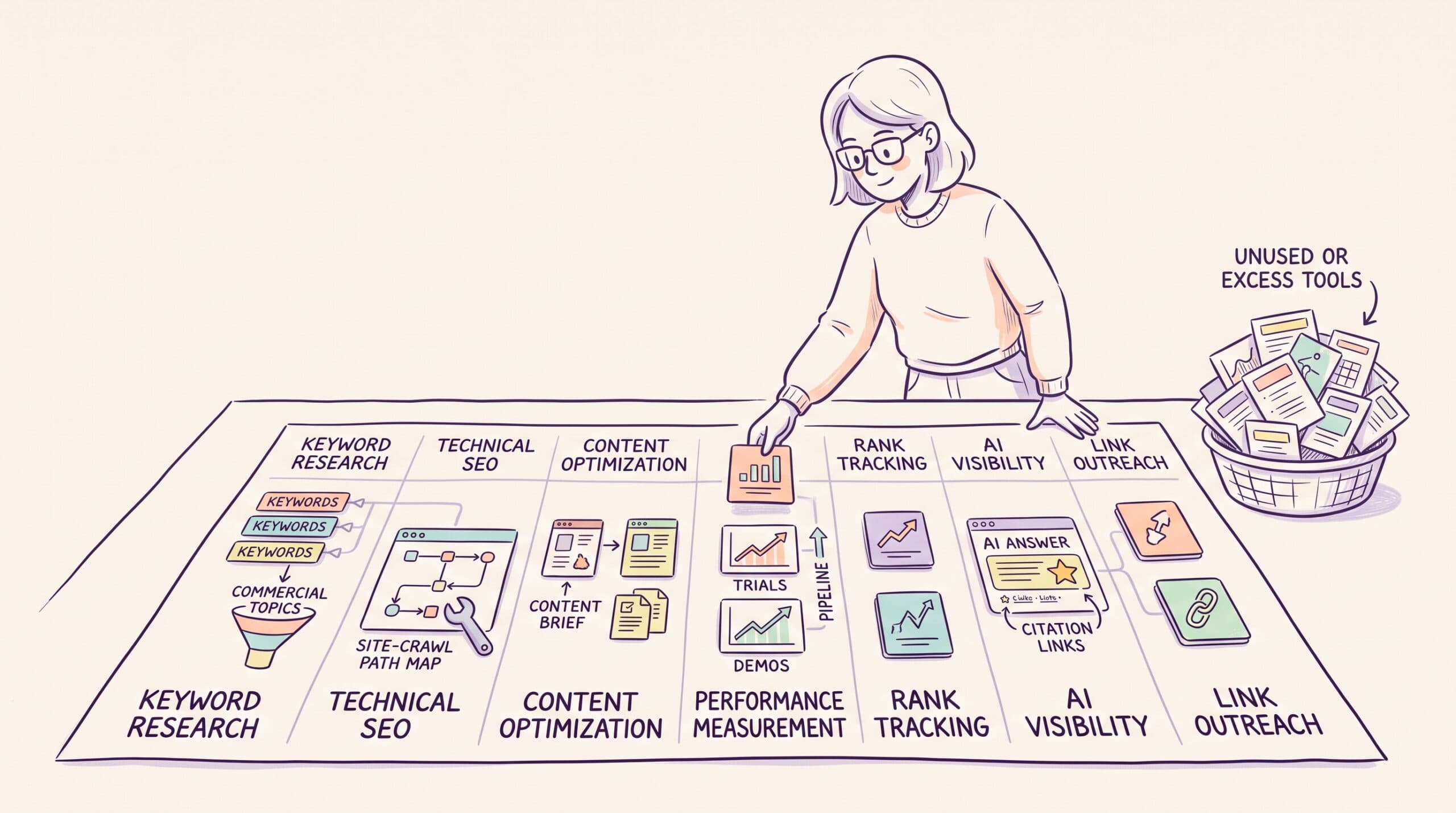

SaaS SEO stacks fill up like a kitchen junk drawer, one renewal at a time, each one sensible on the day. There’s the Ahrefs seat bought for a competitor project, the content optimizer a new writer asked for, and the AI tracker someone trialed last quarter and forgot to cancel. Add up the invoices and you may be paying three vendors for keyword research while none of them tells you which pages bring in trials.
I’m a B2B SaaS writer and strategist, and I use these tools on client work and on my own site. I pay for Semrush, run my site on Ahrefs’ free plan and SE Ranking, crawl with Screaming Frog, and track my own name in Rankshift to see whether ChatGPT recommends me.
When I rechecked every price for this update, two of the AI tools had dropped their public plans, and two prices in my earlier version were yearly rates. So this guide compares 19 tools on monthly billing, as of October 2026, and ends with the stack I’d buy at four budgets.
The best SaaS SEO tools at a glance
Prices are for monthly billing, taken from each vendor’s own pricing page. Where a vendor only sells yearly plans, the table says so.
| Tool | Best for | Main job | Starting price (monthly billing) |
| Google Search Console | First-party Google data | Search data and indexing | Free |
| Google Analytics 4 | Organic conversion data | Web analytics | Free |
| Keywords Everywhere | Low-cost keyword research | Keyword data | $84/year (yearly only) |
| RevPages | Revenue-focused SEO opportunities | Finding and forecasting high-value keywords | Free to try |
| AlsoAsked | Mapping buyer questions | Topic research | $12/month |
| LowFruits | Finding easier terms | Keyword research | $29.90/month |
| Ahrefs | Competitor and link research | SEO research | $29/month |
| SE Ranking | SEO and AI tracking on one plan | Research and tracking | $129/month |
| Semrush | A broad SEO suite | SEO management | $139.95/month |
| Screaming Frog | Deep site crawls | Technical SEO | Free; $279/year (yearly only) |
| Frase | Lower-cost content scoring | Content work | $49/month |
| Surfer | Draft scoring inside your editor | Content work | $59/month |
| Clearscope | Team content workflows | Content work | $129/month |
| OtterlyAI | Low-cost AI tracking | AI visibility | $29/month |
| Peec AI | AI data for growing teams | AI visibility | $95/month |
| Rankshift | AI tracking across many models | AI visibility | $92/month |
| Profound | Enterprise AI search programs | AI visibility | Free trial; Enterprise by quote |
| AirOps | AI search strategy and content operations | Content ops | By quote |
| Respona | Link placements and outreach | Authority building | From $100 per placement |
What are SaaS SEO tools?
SaaS SEO tools help software companies grow through search, whether that’s Google or the AI assistants buyers now ask for shortlists.
They find keywords, spot site errors, improve content, track rankings, and measure the leads that search brings in. Some also track how often a brand appears in AI answers, and which sources those answers cite.
The tools on this list are called SaaS SEO tools because they serve SaaS teams, not because every one of them runs in a browser. Screaming Frog, for example, is a desktop app, and it’s still one of the most useful tools for SaaS SEO.
Together, these tools support an SEO content marketing plan. They help your team find the right work, do it faster, and check whether it paid off.
What makes a SaaS SEO tool worth paying for?
It helps you find buyer-led topics
A large keyword list is easy to build. A useful list is much harder.
The best tools help you find terms tied to a real buying need. These include product terms, “best” searches, use cases, and competitor terms.
Still, the tool shouldn’t choose for you. Search volume can hide weak intent, so your team has to know which bottom-of-funnel keywords are close to a sale.
It gives you a clear next step
A score has little value on its own.
Good tools show you what needs work, whether that’s a weak page, a crawl block, or a lost ranking. More useful tools also show why the issue exists.
As a result, you spend less time sorting through reports and more time fixing the pages that bring in buyers.
It fills a gap in the tools you already use
SEO tools now share many of the same features.
Ahrefs, Semrush, and SE Ranking all offer keyword data, rank tracking, and site audits, so paying for all three is usually waste. If you’re choosing between two of them, SE Ranking vs Ahrefs comes down to backlink depth versus rank tracking per dollar.
Before you add a tool, name the report you’ll open every week and the decision it will change. If you can’t name either, wait. The tool will still be there next quarter, probably with an AI feature it didn’t have this quarter.
It covers the search channels your buyers use
Google is still the main source of search traffic for most SaaS sites, but buyers now also build shortlists in ChatGPT, Perplexity, and Google’s AI Mode.
Not every team needs a stand-alone AI tracker. A startup can begin with manual checks of ten buyer prompts, while a larger team may need daily data across hundreds of prompts and several models.
Match the tool to the size of the task.
Your team will use it
A tool can be powerful and still fail inside your team.
Writers often avoid a dense SEO suite, and a small team may not have time to build a complex workflow. In that case, a simpler tool brings more value because people open it.
Ease of use decides whether a subscription pays for itself.
The real cost fits your budget
The lowest plan may not support your work.
You may need more seats, more prompts, or more tracked keywords, and those limits raise the cost fast.
Price the plan you’ll need in six months, not the first number on the pricing page.
How I evaluated the best SaaS SEO tools
I assessed each product against the work a B2B SaaS marketing team does each month. That means finding topics, fixing the site, writing and refreshing pages, building authority, and measuring results in Google and AI answers.
For each tool, I checked:
- The main job it handles, and what it replaces
- The quality of the data or output
- How easy it is to act on the result
- The cost at a useful plan level, on monthly billing
- Common points from recent user reviews
- Where it overlaps with other tools on this list
I haven’t tested every paid plan, so each entry includes an evaluation basis note. It tells you whether the view comes from my own hands-on use, a free plan, product pages and docs, or user reviews.
Every price comes from the vendor’s own pricing page with the toggle set to monthly billing. That toggle deserves a warning. Several of these vendors show the cheaper yearly rate first, and it’s easy to compare a yearly price from one tool with a monthly price from another.
1. Google Search Console: Best free base for SaaS SEO
Google Search Console should be the first tool in your stack.
It’s Google’s own logbook of your site. It records every search that showed one of your pages, how high the page sat, and how often anyone cared enough to click. Every paid tool on this list estimates those numbers. Search Console records them, and no paid tool replaces it.

Evaluation basis. Hands-on use on my own site.
How Google Search Console fits into a SaaS SEO workflow
Start with the Performance report. Sort pages by clicks, position, impressions, or CTR, then check the queries tied to each page.
This can show a page that still ranks but no longer gets clicks. It can also show a page that gets impressions for terms it doesn’t cover well, which is often the fastest refresh you’ll find.
Next, use URL Inspection to confirm whether Google has indexed a page and whether anything blocks the crawl.
That makes Search Console the first stop when your website is not showing on Google. It’s also where I found four outdated sitemaps still submitted for my own site, two of them from a CMS address no visitor ever sees.
Search Console also told me something unflattering about this very page. Google showed it for “seo tools” 56,752 times in three months, and 50 people clicked. People typing that phrase want a general list, not a SaaS one, and no paid tool would have shown me that mismatch.
Standout features
- Performance report. Clicks, impressions, CTR, and position by query, page, country, and device, with date comparisons.
- URL Inspection. Shows whether a page is indexed and lets you test the live version.
- Indexing reports. List pages Google skipped and why, plus sitemap status and Core Web Vitals.
Pros and cons
Pros
- First-party Google data at no cost
- Surfaces queries you didn’t think to track
Cons
- Positions are averages, not daily rank checks
- No competitor data and no AI answer data
Google Search Console pricing
Free.
Choose Google Search Console when…
You have a live site. Every SaaS team should set it up on day one, as a Domain property so it covers every host and subdomain.
2. Google Analytics 4: Best free tool for organic lead data
Google Analytics 4 shows what people do after they reach your site.
Search Console shows you the front door, meaning the searches that brought people in. GA4 follows them down the hallway, to the pricing page, the demo form, or straight back out the way they came.

Evaluation basis. Hands-on use on my own site.
How GA4 fits into a SaaS SEO workflow
Build a report for organic landing pages, then group the pages by type.
You might compare blog posts, product pages, and “best tools” guides. This shows which page types bring the right visitors, not only the most visitors.
Next, add your key events, such as demo requests and signups. A page with less traffic may still drive more trials, and that page is worth more than a high-traffic guide.
GA4 can also show journeys that start with search and convert later through another channel, and it now reports visits from AI assistants as their own channel.
Standout features
- Landing page reports. Sessions, engagement, and key events for each entry page, filterable to organic search.
- Key events. Mark signups and demo requests as conversions and see which pages produce them.
- Search Console link. Brings query data into GA4 next to on-site behavior.
Pros and cons
Pros
- Links search visits to what visitors do next
- Free for standard properties
Cons
- Setup takes care, and badly configured events lead to misleading reports
- Attribution to a single landing page undercounts long B2B buying cycles
GA4 pricing
Standard GA4 properties are free.
Choose GA4 when…
You need to show which SEO pages lead to trials or demos. Pair it with your CRM so organic search shows up as a lead source, not just a traffic number.
3. Keywords Everywhere: Best low-cost keyword add-on
Keywords Everywhere puts keyword data in your browser.
Every Google search you run sprouts a small sidebar of numbers, with search volume, cost per click, a trend line, and a column of related terms. It turns ordinary browsing into keyword research, which is how a lot of research starts anyway.

Evaluation basis. Hands-on use.
How Keywords Everywhere fits into a SaaS SEO workflow
Install the extension and research your product category as you normally would. The tool adds related queries and metrics to supported websites, so you can follow a line of research without exporting terms into another platform.
A content strategist could start with “customer support software,” move into related use cases, check People Also Search For suggestions, and save the commercial terms for closer SERP analysis.

Standout features
- In-browser metrics. Volume, CPC, and trend data appear on Google, YouTube, and other supported sites.
- Related and long-tail panels. Suggest the next queries to research without leaving the results page.
- Domain and gap data. Show the keywords a competitor’s site ranks for.
Pros and cons
Pros
- A fast, inexpensive workflow for directional research
- Enough data for a solo marketer to check a topic before paying for a suite
Cons
- Credits can drain quickly when several widgets load on one search
- No project management or reporting depth
Keywords Everywhere pricing
Plans are sold yearly only. Bronze costs $84 a year, about $7 a month, for 100,000 credits, and Silver costs $168 a year with three seats.
What customers say
Feedback commonly praises its convenience and ease of use. The independent review pool is smaller than those for major SEO suites.
Choose Keywords Everywhere when…
You need keyword volumes while you browse and can’t justify a $129 suite yet. Freelance writers and early-stage SaaS teams get the most from it.
4. RevPages: Best for finding revenue-focused SaaS SEO opportunities
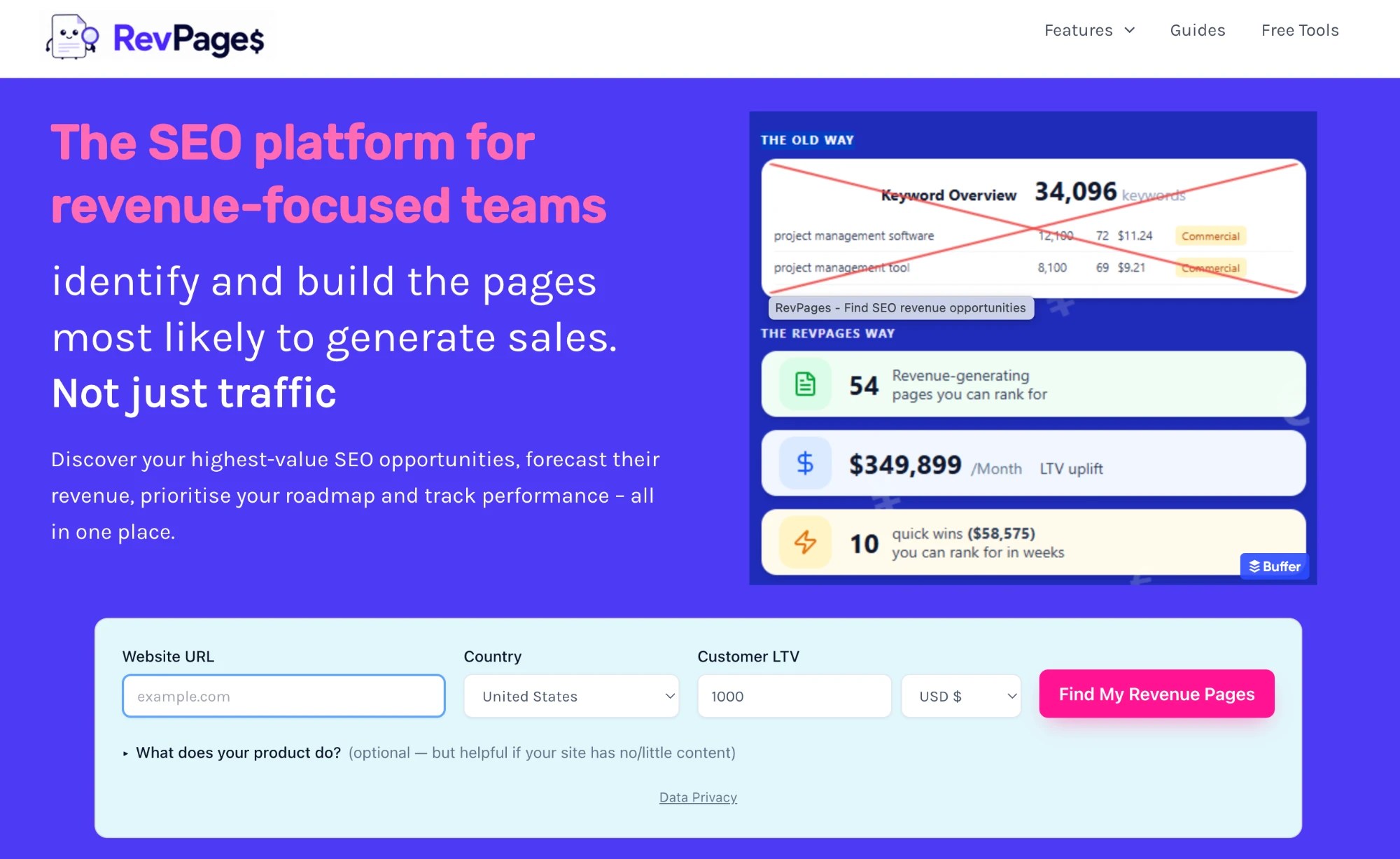
RevPages puts a price tag on keywords. It helps SaaS teams find the commercially valuable pages to create or improve, and estimates what each one could earn.
Rather than returning thousands of loosely related keywords, it focuses on lower-funnel opportunities such as competitor alternatives, comparison pages, feature pages, industry pages, templates, and “best of” listicles, and estimates the value of each one.
You enter your website and average customer lifetime value. RevPages then analyzes your website, existing rankings, and search data to find your most valuable opportunities and estimate the revenue each one could bring.
Evaluation basis. Product pages and the free opportunity finder.
How RevPages fits into a SaaS SEO workflow
Start by running an opportunity report for your website. RevPages produces a focused list of pages that could attract buyers, with search demand, ranking difficulty, current performance, and estimated revenue potential.
Its Revenue Opportunity score weighs both an opportunity’s potential value and your likelihood of ranking for it. This helps you avoid a lucrative-looking keyword that your site can’t realistically win yet.
You can add promising opportunities to a content roadmap. From there, RevPages can generate a content brief, suggested title, meta description, and URL slug for each page.
Standout features
- Revenue forecasting. Estimates what each page could earn from your customer lifetime value.
- Opportunity scoring. Balances potential value against how likely you are to rank.
- Briefs and roadmap. Turns chosen opportunities into briefs, titles, and slugs.
Pros and cons
Pros
- Connects keyword research to estimated revenue, which makes the case to leadership easier
- Focuses on SaaS buyer searches, so there’s less filtering of big exports
Cons
- A planning tool, so you’ll still need other software for audits, backlinks, and broad research
- Revenue figures are forecasts built on your inputs, not guaranteed returns
RevPages pricing
RevPages is free to try, and no paid plans were listed on its site when I checked.
Choose RevPages when…
You need to decide which bottom-of-funnel pages to build first and want a revenue estimate to justify the order. SaaS founders and in-house teams get the clearest value.
5. AlsoAsked: Best for mapping the next buyer question
AlsoAsked turns Google’s People Also Ask results into a visual question tree.

It’s like eavesdropping on the conversation a buyer has with Google, one question leading to the next. That’s useful when you’re planning an outline, a FAQ, or a set of linked pages.
Evaluation basis. Hands-on use.
How AlsoAsked fits into a SaaS SEO workflow
Enter a product category, use case, or competitor name. The output shows connected questions and the links between them.
A search around “CRM setup,” for example, may surface questions about migration, training, timelines, and cost.

Those branches can improve an existing article, inspire a content cluster, or reveal objections that belong on a product page.
It’s also useful for AI search research, because conversational questions often match the prompts buyers type into AI tools.
Standout features
- Question maps. Show how People Also Ask questions connect, several levels deep.
- Regions and languages. Run searches by country and language.
- Exports. CSV and image exports for briefs and client decks.
Pros and cons
Pros
- Adds context that a plain keyword list lacks
- Unlimited users on every plan
Cons
- Doesn’t show how close a question is to a sale, so you still need intent checks
- Credits run out fast if you map many topics in one month
AlsoAsked pricing
Basic costs $12 a month for 100 credits, Lite $23 for 300, and Pro $47 for 1,000.
Choose AlsoAsked when…
You write guides, FAQs, and buyer pages and want to know which question a reader asks after the first one. It’s an easy subscription to pause in quiet months.
6. LowFruits: Best for finding easier terms
LowFruits hunts for the soft spots in search results, like the forum thread sitting at number four or the three-year-old blog post nobody has bothered to beat.
That helps a newer SaaS company avoid spending months chasing broad category terms it has little chance of winning.

Evaluation basis. Product pages, public demos, and user reviews.
How LowFruits fits into a SaaS SEO workflow
Start with a seed term tied to your product.
LowFruits builds a long list, scans the top results, and marks signs of weak sites in each SERP.
Use that data as a first filter. Then check whether the term has buyer value. Easy keywords are often easy for a reason. The people searching them aren’t shopping, so nobody bothered to compete.
Standout features
- Weak-site detection. Flags results where forums or low-authority sites rank.
- Competitor extraction. Pulls the keywords and sitemap pages of rival sites.
- Rank tracking. 100 tracked keywords on the Standard plan.
Pros and cons
Pros
- Makes ranking difficulty easier to read for a small team
- Pay-as-you-go credits for occasional research
Cons
- The focus on “easy wins” can push teams toward low-value posts
- Thin on technical SEO and reporting
LowFruits pricing
Standard costs $29.90 a month for 3,000 credits, and Premium costs $79.90 for 10,000. Pay-as-you-go credits start at $25 for 2,000.
Choose LowFruits when…
Your site is new or low-authority and you need topics you can rank for this quarter, not next year.
7. Ahrefs: Best for competitor and link research
Ahrefs is strongest when you want to see how other sites win. It reads a competitor’s site like a balance sheet, showing which pages bring in the traffic and which links are paying for it.
Its Site Explorer shows top pages, search terms, and links. Content Gap shows terms that competitors rank for while your site doesn’t.

Evaluation basis. Hands-on use, product docs, and user reviews.
How Ahrefs fits into a SaaS SEO workflow
Enter three or four direct competitors and inspect their highest-traffic pages.
Filter the results to find comparison pages, alternatives articles, templates, integration content, and product-led guides. Words like “best,” “vs,” and “alternative” make the filter faster.
Next, review the backlinks pointing to those pages. The combination separates topics that rank because of strong content from pages propped up by link authority.
This research belongs before your content plan because it shows where competitors have already proved demand. For my own site, Ahrefs Free covers my site’s data and audit at no cost, and I only miss the paid plans when I want to dig into someone else’s site. It’s the kind of work that goes into bottom-of-funnel content that moves pipeline.
Standout features
- Site Explorer. Top pages, keywords, and traffic for any domain.
- Content Gap. Keywords your competitors share that you don’t rank for.
- Backlink data. A large link index, with referring-domain history.
Pros and cons
Pros
- Strong competitor and link data in one place
- Ahrefs Free covers your own site’s data at no cost
Cons
- Starter is too limited for regular research, and Lite is expensive for one user
- Rank tracking updates weekly on the core plans
Ahrefs pricing
Starter costs $29 a month, Lite $129, Standard $249, and Advanced $449. Enterprise starts at $1,499 a month with an annual commitment.
What customers say
Ahrefs holds a 4.5/5 G2 rating from hundreds of reviews. Users consistently praise its backlink and keyword data, while smaller teams often flag pricing and credit limits as pain points.
Choose Ahrefs when…
Competitor research and link analysis drive your content plan, and you don’t need daily rank tracking.
8. SE Ranking: Best value for SEO and AI tracking on one plan
SE Ranking covers keyword research, rank tracking, site audits, and AI prompt tracking on one plan.

Its most useful view puts your Google rankings and your AI mentions side by side, so you can watch the two lines move together or drift apart. That range also helps a growing team cut the number of tools it pays for.
Evaluation basis. Hands-on use. I track my own site in SE Ranking.
How SE Ranking fits into a SaaS SEO workflow
Create one project for your website and group keywords by page type.
Keep product-category terms separate from informational topics, so movement in one group doesn’t hide changes in another.
Then add prompts that reflect the questions buyers ask AI platforms. Comparing the two data sets shows where traditional rankings and AI visibility move together and where they split.

Standout features
- Daily rank tracking. On every plan, by location and device.
- AI prompt tracking. Shows when ChatGPT, AI Mode, Gemini, and Perplexity mention you.
- Data Studio integration. Feeds client or leadership dashboards (formerly Looker Studio).
Pros and cons
Pros
- Cuts the number of separate subscriptions a growing team needs
- The Core plan has enough keyword and prompt capacity for a real program
Cons
- The backlink database isn’t as deep as Ahrefs for heavy link research
- The broad feature set has a learning curve if you only need one or two reports
SE Ranking pricing
Core costs $129 a month and Growth costs $279 a month. A 14-day trial is available.
What customers say
SE Ranking has a 4.8/5 G2 rating across more than 1,500 reviews. Ease of use and rank monitoring get consistent praise, while some reviewers want a larger backlink database.
Choose SE Ranking when…
You want daily rankings and AI visibility tracking on one bill, and backlinks are a secondary concern.
9. Semrush: Best broad suite for one-vendor teams
Semrush is the department store of SEO tools, with almost everything you need under one roof, plus a few floors you’ll never visit.

It covers keyword data, site audits, rank tracking, backlinks, and competitor research, and it sells AI visibility tracking alongside them.
Evaluation basis. Hands-on use. Semrush is the SEO suite I pay for, and I use it for keyword research, competitor analysis, and content planning on client projects.
How Semrush fits into a SaaS SEO workflow
A marketing team can research a category, run a keyword gap analysis, audit the website, and track rankings without switching vendors.
That breadth helps when SEO touches several people. A content manager works in keyword research, an SEO lead monitors technical health, and leadership gets scheduled reports.
Semrush’s AI products also track custom prompts and show how brands appear across ChatGPT, Gemini, Perplexity, and Google’s AI experiences.
Still, the suite is large, and a small team may pay for features it rarely uses.
Standout features
- Keyword Magic Tool and Keyword Gap. Large keyword research and competitor comparisons in one place.
- Position Tracking and Site Audit. Daily rankings and technical checks for the same project.
- AI visibility tracking. Included on Semrush One plans.
Pros and cons
Pros
- Wide coverage and mature reporting
- Can become the central data source for a team that wants fewer vendors
Cons
- Pricing is harder to compare as features spread across toolkits and tiers
- Each additional user costs extra, from $45 a month
Semrush pricing
The SEO plan costs $139.95 a month. Semrush One, which adds AI search tracking, starts at $199 a month for Starter and $299 for Pro+.
What customers say
Customers value having several SEO capabilities together, although the size of the platform can feel excessive when you only need one narrow function.
Choose Semrush when…
Your team will use several parts of the suite each week and wants its keyword, ranking, audit, and AI data in one place.
10. Screaming Frog: Best for deep site crawls
Screaming Frog crawls your site the way Googlebot does and hands you the results as one enormous, unglamorous spreadsheet.

It spots broken links, redirect chains, noindex tags, weak titles, and pages buried too deep. The free version crawls up to 500 URLs.
Evaluation basis. Hands-on use, product docs, and user reviews.
How Screaming Frog fits into a SaaS SEO workflow
Crawl the full site, then split the data by site area.
Check the blog, product pages, help docs, and global pages on their own. This shows whether one template has a site-wide fault.
Treat the crawl as an X-ray. It shows every fracture on the site, and someone still has to decide which ones need a cast.
Screaming Frog also builds the full page list you need for a content audit.
Standout features
- Full technical crawl. Status codes, redirects, canonicals, titles, and headings for every URL.
- JavaScript rendering. Shows what Google sees on pages built with a JavaScript framework.
- Custom extraction. Pulls any element, such as author names or schema, from every page.
Pros and cons
Pros
- Granular, page-level data instead of a simplified health score
- Free for small sites
Cons
- The spreadsheet-style interface overwhelms new users
- It lists every issue without saying which ones hurt rankings or how to fix them
Screaming Frog pricing
Free for up to 500 URLs. A licence costs $279 per user per year, sold yearly only.
Choose Screaming Frog when…
Your site has grown past a few hundred pages, or you’re planning a redesign or migration and need a complete URL inventory.
11. Frase: Best affordable content optimization tool
Frase is the research assistant a solo writer can afford. It reads the top-ranking pages for a term and hands back the topics and questions they cover.

Writers can draft from that list and score the result as they go.
Evaluation basis. Product use, docs, pricing, and user reviews.
How Frase fits into a SaaS SEO workflow
Open a report for the target term and review the top pages before you look at the score.
Ask which points match the real search need, then remove ideas that add length but little value.
Reviewing the pages first keeps the score from driving the article. A content score tells you what the top pages have in common. It can’t tell you what they all missed, and that gap is usually where your article wins.
Standout features
- SERP research and briefs. Outlines built from the pages that rank.
- Live scoring. SEO and GEO scores update as the draft changes.
- Site audits and opportunity reports. Point to pages worth refreshing.
Pros and cons
Pros
- Several content tools at a low entry price
- Can replace a separate briefing tool for writers who need structure
Cons
- Content scores are easy to misuse, and chasing every term produces repetitive writing
- Generated drafts still need heavy human editing
Frase pricing
Starter costs $49 a month, Professional $129, and Scale $299. Every plan has a seven-day free trial with no card required.
What customers say
Frase users often praise the time saved during research and content creation. Feedback also stresses the need for human review rather than treating generated drafts or scores as finished work.
Choose Frase when…
You’re a solo marketer, freelance writer, or small content team that wants briefs and scoring without Clearscope’s price.
12. Surfer: Best for scoring drafts inside your editor
Surfer is a content optimization tool built around its Content Editor. You enter a target keyword, Surfer analyzes the pages that rank for it, and it scores your draft in real time on how well it covers the terms, structure, and length those pages share.

Evaluation basis. Hands-on use on past client projects, plus Surfer’s current product and pricing pages for features added since.
How Surfer fits into a SaaS SEO workflow
An SEO lead builds a Content Editor for each brief and shares it with the writer.
The writer drafts in Surfer, Google Docs, or WordPress and watches the score climb as each section lands, like a coach calling out a number from the sideline. The structure targets, such as word count and number of headings, keep a draft from running far shorter or longer than the pages it competes with.
Once the page is live, the same subscription can track AI visibility. Standard tracks 25 prompts refreshed weekly, and Pro tracks 50 refreshed daily, so a content team can watch both Google and AI answers without adding another tool. If you’re weighing it against Semrush’s built-in content tools, Surfer SEO vs Semrush compares the two for content teams.
Standout features
- Content Editor. A live score and term targets based on the pages that rank.
- Integrations. Scoring inside Google Docs and WordPress, where writers already work.
- AI visibility tracking. Prompt tracking included on the Standard plan and above.
Pros and cons
Pros
- Fast, concrete feedback for writers on every draft
- Content optimization and AI tracking on one bill
Cons
- Like any score, it can push writers toward stuffing terms instead of saying something new
- Standard at $119 a month costs more than double Frase’s entry plan
Surfer pricing
On monthly billing, Discovery costs $59 a month, Standard $119, Pro $219, and Peace of Mind $359. Yearly billing lowers those to $49, $99, $182, and $299.
Choose Surfer when…
Several writers produce drafts each week and you want a score tied to the search results inside the tools they already use, with AI tracking in the same subscription.
13. Clearscope: Best premium content tool
Clearscope is built for teams that want a clean content optimization workflow without giving writers a complex SEO interface.

Its reports read like a school report card, with a letter grade, a short list of terms to cover, and nothing that needs a training session. It also tracks live pages, which helps with refresh work.
Evaluation basis. Product use, docs, pricing, and user reviews.
How Clearscope fits into a SaaS SEO workflow
A content lead builds the report and uses it to shape the brief.
The writer then works in the editor or in Google Docs. After the page goes live, the team tracks its grade and search trend.
This flow suits a team with many writers. A solo writer gets enough value from Frase for less.
Standout features
- Content reports and live grading. A simple grade writers understand quickly.
- Page monitoring. Flags live pages whose rankings or grades slip.
- Query tracking. 50 tracked queries on Essentials and 300 on Business.
Pros and cons
Pros
- Easy to introduce across a team of writers
- Unlimited users and projects, with no contracts
Cons
- Essentials is hard to justify for a company publishing a handful of articles
- Twenty monthly drafts may need add-ons once production picks up
Clearscope pricing
Essentials costs $129 a month and Business costs $399 a month. Both are billed monthly with no contract.
What customers say
Clearscope holds a 4.9/5 G2 rating. Ease of use and clear content guidance get strong praise, while cost is the recurring concern for freelancers and smaller teams.
Choose Clearscope when…
You run an established content team with several writers, an active refresh program, and enough volume to justify a premium workflow.
14. OtterlyAI: Best low-cost AI visibility tool
OtterlyAI tracks brand mentions in AI answers.

Think of it as a smoke detector for AI answers. It’s cheap, simple, and good at telling you something changed, if not always why. Its entry plan gives a small team a way to move past manual spot checks.
Evaluation basis. Product docs, public demos, pricing, and user reviews.
How OtterlyAI fits into a SaaS SEO workflow
Build a focused set of prompts around your product category and the questions a buyer asks before comparing vendors.
The dashboard then shows whether your brand appears, which competitors get more visibility, and which sources the answer engines cite. Those citations point to articles worth improving and to third-party pages where you need a presence.
Standout features
- Daily prompt tracking. Brand visibility across several answer engines.
- Citation analysis. Lists the sources AI answers rely on.
- GEO audits. Review pages for AI search readiness.
Pros and cons
Pros
- Starts measuring AI visibility for under $30 a month
- Covers several answer engines on the entry plan
Cons
- Fifteen prompts won’t cover several products, regions, or personas
- The jump from Lite to Standard is steep, and some engines are paid add-ons
OtterlyAI pricing
Lite costs $29 a month for 15 prompts, Standard $189 for 100, and Premium $489 for 400.
What customers say
OtterlyAI has a 4.8/5 rating from 52 G2 reviews. Users praise its setup and interface, while recurring feedback concerns the gap between tiers and how much interpretation the data still needs.
Choose OtterlyAI when…
You’re starting with one market and a short list of commercial prompts, and you want data instead of manual spot checks.
15. Peec AI: Best for a growing AI search program
Peec AI sits between low-cost trackers and enterprise platforms.

It tracks prompts, brand position, sentiment, competitors, and cited sources, and gives teams room to group prompts by use case.
Evaluation basis. Product docs, public demos, and user reviews.
How Peec AI fits into a SaaS SEO workflow
Split prompts by the stage of the sale.
One group covers broad category questions. Another covers tool lists and competitor comparisons. This makes the data easier to act on.
Next, check which sites AI tools cite. They’re often review sites, forums, or list posts, and the answer can guide both content and PR work.
Standout features
- Prompt tracking by tag. Group prompts by product, persona, or funnel stage.
- Competitor benchmarking. Visibility, position, and sentiment side by side.
- Source monitoring. The domains and URLs AI answers cite most.
Pros and cons
Pros
- A focused interface that a marketing team learns quickly
- Enough prompt capacity to move past a first experiment
Cons
- Starter users choose three models, and broader coverage needs higher plans
- The data still has to be turned into a content or authority plan
Peec AI pricing
Starter costs $95 a month for 50 prompts, and Pro costs $245 for 150. Yearly billing lowers them to $80 and $205.
What customers say
Peec has a 4.9/5 G2 rating, although its review pool is still small. Reviewers often praise the interface and quick setup, and requests for more integrations appear among the limitations.
Choose Peec AI when…
You already run an AI search program and need more prompts, competitors, and source data than an entry tracker allows.
16. Rankshift: Best for tracking AI visibility across many models
Rankshift tracks how your brand appears in AI answers across the major platforms, including ChatGPT, Gemini, Perplexity, Claude, and Google’s AI Overviews and AI Mode. It reports on visibility, sentiment, citation sources, and AI crawler activity.

Evaluation basis. Hands-on use on a paid plan. I track the prompts buyers type when they look for a B2B SaaS writer, and I’ve published a Rankshift review based on that use.
How Rankshift fits into a SaaS SEO workflow
Pick the prompts your buyers are likely to type into ChatGPT or Perplexity, then choose which models to run them on and how often.
Rankshift shows whether your brand appeared, how it was described, and which sources the AI used to build the answer. The leaderboard ranks you against the competitors you add, so you can see who gets recommended when you don’t.
The leaderboard is the most motivating screen in this whole list, and the least forgiving. It ranks you against named competitors, with no average position to hide behind.
Citation data is often the most useful part. When the same review site or listicle keeps appearing as a source, that page belongs on your outreach list.
Standout features
- Multi-model tracking. Run the same prompts across many AI platforms, daily or weekly.
- Unlimited users and projects. Pricing is based on credits, not seats.
- Citation and sentiment reports. Show which sources shape answers and how your brand is described.
Pros and cons
Pros
- Adding teammates or clients costs nothing extra
- Daily or weekly refresh lets you trade freshness for credits
Cons
- Credit-based pricing makes costs harder to predict as you add prompts, models, and refreshes
- It doesn’t replace traditional search data, so you still need Search Console
Rankshift pricing
On monthly billing, Starter costs $92 a month, Professional $210, and Business $473. Yearly billing lowers them to $82, $189, and $425. A 30-day free trial needs no credit card.
Choose Rankshift when…
Several people need access, or you want to track many AI models without paying per seat. It also suits agencies that report AI visibility to clients.
17. Profound: Best for enterprise AI search programs
Profound is the control room of AI visibility, with more screens, more engines, and a staff of AI agents to act on what the screens show.

It adds deeper source data, AI referral analytics, and an AI Marketer that helps teams act on what they find. That makes it a fit for large brands running AI visibility as an ongoing function.
Evaluation basis. Product docs, the current pricing page, and user reviews.
How Profound fits into a SaaS SEO workflow
The platform runs prompts on a schedule and reports on brand mentions, citations, sentiment, and competitor visibility, with capability for up to nine answer engines.
Marketing teams use its agents to analyze and improve content. Agent Analytics connects AI-sourced visits to website activity through integrations with platforms like Cloudflare, Vercel, WordPress, and Google Analytics.
That’s what separates Profound from a lighter tracker. It’s built for teams treating AI visibility as a function, not a one-time audit.
Standout features
- Answer engine insights. Mentions, citations, and sentiment across up to nine engines.
- Agent Analytics. Ties AI-sourced visits to site activity.
- AI Marketer and agents. Reusable workflows that turn findings into content work.
Pros and cons
Pros
- Combines tracking with tools built to act on the data
- Enterprise controls such as SSO and SOC 2 compliance
Cons
- No self-serve paid plan, so after the trial you’re in an enterprise sales process
- Too much platform for a team still testing whether AI search affects its pipeline
Profound pricing
When I first wrote this list in July, Profound had a $99 Starter plan and a $399 Growth plan. Both are gone. The pricing page now offers two paths, either a free trial that runs 50 prompts daily for seven days on ChatGPT, Gemini, and Google AI Overviews, or a custom Enterprise contract.
What customers say
Profound has a 4.6/5 G2 rating from more than 300 reviews. Users often highlight the data depth and support, while the platform’s scope and price suit teams ready to act on the intelligence.
Choose Profound when…
You’re a larger SaaS company with several products, markets, or stakeholders asking for regular AI visibility data, and you have budget for an enterprise contract.
Lower-cost alternatives to Profound
OtterlyAI covers the core monitoring job from $29 a month. Peec AI ($95) and Rankshift ($92) are the middle ground, with more prompts and competitor analysis without an enterprise contract. Rankshift suits teams that need many models or many users, and Peec suits teams that want a simple per-prompt plan.
18. AirOps: Best for AI search strategy and content operations at scale
AirOps is an assembly line for content. It turns research and visibility data into repeatable workflows.

A workflow can pull data, check a page, draft changes, and send the work for review. In 2026, AirOps has also moved toward working directly with brands to set and run their AI discovery strategy.
Evaluation basis. Product pages, public demos, and user reviews.
How AirOps fits into a SaaS SEO workflow
Start with one clear task.
A good first workflow refreshes old pages. It pulls a URL, checks competing pages, finds gaps, and drafts a brief that a person reviews before any copy goes live.
The same setup supports comparison pages or integration content at scale, as long as the inputs and quality controls are clear.
AirOps gets more useful once a team has a defined editorial process. Automating a weak workflow just makes weak work faster.
Standout features
- Custom workflows. Chain research, model calls, and review steps into one process.
- Brand kits and knowledge bases. Keep generated drafts on-brand.
- CMS integrations. Push reviewed work into your publishing system.
Pros and cons
Pros
- Encodes your own process instead of a generic writing prompt
- Supports human review steps between research and publishing
Cons
- Setup takes time and experimentation
- No public pricing or self-serve plan, so you can’t test it before a sales call
AirOps pricing
AirOps doesn’t publish prices anymore. When I first wrote this list in July, it had a free entry plan. Now its pricing page sends you to a sales conversation.
What customers say
Users praise its flexible content workflows and actionable insights, while the learning curve appears regularly in feedback.
Choose AirOps when…
You publish at volume, have a documented editorial process, and want help running AI search as a program, with the budget for a sales-led engagement.
19. Respona: Best for link placements and outreach
Respona is an outreach desk you can rent. It finds sites and contacts, sends the pitches, and chases the replies.

It also sells guaranteed placements, priced by the publisher’s traffic, which gives a team two ways to use the product.
Evaluation basis. Product docs, public demos, and user reviews.
How Respona fits into a SaaS SEO workflow
Choose a page with a clear reason to earn links. Original research, a useful free tool, or a strong commercial guide is easier to promote than another generic blog post.
Respona helps identify relevant publishers and manage outreach. Its placement service handles more of the execution, including content and negotiation, with the price set by the traffic level you choose.
Authority work now affects AI visibility too. Answer engines often cite third-party reviews and listicles, so earning a place on those pages influences how a SaaS brand appears in recommendations. One listing in a roundup I wrote led to a $36K ARR deal within two weeks for the agency I featured.
Standout features
- Placement formats. Product reviews, listicles, contextual mentions, news, and comparison guides.
- Outreach tools. Publisher discovery, contact finding, and sequences.
- Traffic-based pricing. You pick the publisher traffic tier for each placement.
Pros and cons
Pros
- Brings several manual outreach tasks into one process
- Lets you pay for delivered placements rather than only software
Cons
- Costs climb quickly during a sustained campaign
- Domain metrics still need human review, because a high rating doesn’t guarantee relevance
Respona pricing
Placements cost $100 to $500 each, depending on the publisher’s monthly traffic.
What customers say
Respona has a 4.8/5 G2 rating from almost 200 reviews. Users value the time saved by combining prospecting and outreach, while some report a learning curve and concerns about cost.
Choose Respona when…
You have pages worth promoting, such as research or comparison guides, and no internal capacity for prospecting and follow-up.
The SaaS SEO stack I’d build at each budget
The right budget depends on the work already happening inside your company.
Buying a sophisticated platform before the team has a content cadence or a technical owner leaves expensive reports waiting for someone to act on them. An unopened dashboard wastes more of an SEO budget than picking the second-best tool ever will.
Here’s what each stack costs on monthly billing at current prices.
| Budget | Stack | Monthly cost |
| Free or near-free | Search Console, GA4, Screaming Frog (free), Keywords Everywhere | About $7 (Keywords Everywhere’s $84 yearly plan) |
| Under $250 | SE Ranking Core or Ahrefs Lite, Frase Starter, OtterlyAI Lite | $207 |
| $250 to $750 | Ahrefs Standard, Clearscope Essentials, Peec AI Starter | $473 |
| Above $750 | Semrush One Pro+, Clearscope Business, Profound or AirOps, Respona placements | $698 plus custom quotes and placements |
A free or near-free stack
Start with Google Search Console and GA4. Add the free Screaming Frog version if the site has fewer than 500 URLs.
Keywords Everywhere supplies affordable search-volume data once the team needs more than Google’s free tools provide, for about $7 a month on its yearly plan.
AlsoAsked ($12 a month) helps in months when you’re building several briefs, but it doesn’t need to become a permanent subscription if usage is occasional.
This setup gives you enough information to find early opportunities and measure whether visitors take meaningful actions.
A stack under $250 per month
Choose one primary research platform.
Ahrefs Lite ($129) suits teams where competitor research and links come first. SE Ranking Core ($129) gives broader monitoring and daily AI tracking at the same price.
A smaller team could choose LowFruits ($29.90) instead when the immediate goal is finding attainable topics for a lower-authority website.
Add Frase ($49) when briefing and optimization become a regular part of production. OtterlyAI Lite ($29) introduces AI visibility monitoring without eating the budget. With SE Ranking or Ahrefs, that stack comes to $207 a month.
If you only have $250, put most of it into one research platform. Hold off on the AI tracker until you’ve run ten buyer prompts by hand for a month and know which ones you’d pay to watch.
A stack from $250 to $750 per month
At this level, the stack should match a known weak point.
Ahrefs Standard ($249) or Semrush One Starter ($199) covers research, rankings, and technical monitoring. Clearscope Essentials ($129) or Surfer Standard ($119) gives several writers a consistent optimization process. Peec AI ($95) or Rankshift ($92) adds a more developed AI search program.
The Ahrefs, Clearscope, and Peec version costs $473 a month, and the Semrush, Surfer, and Rankshift version costs $410.
Don’t subscribe to each product because it leads its category. Pick the tool that covers what your current suite handles poorly.
A stack above $750 per month
A larger budget should buy depth and execution capacity, not several versions of the same report.
Semrush One Pro+ ($299) and Clearscope Business ($399) come to $698 before the rest. Profound becomes relevant when AI visibility needs dedicated analysis across products or markets, and AirOps can help scale repeatable content workflows. Both price by quote. Respona supports authority building around pages that already deserve promotion, at $100 to $500 per placement.
The team still needs people who understand the product and can turn the data into decisions. Software expands capacity, and the judgment behind the strategy comes from your team.
How to choose the right SaaS SEO tools
Start with the question you can’t currently answer.
When you don’t know which queries bring visitors to the website, set up Search Console. When competitors keep outranking your content and you can’t explain why, Ahrefs or Semrush provides the missing context.
A technical crawler becomes useful when site growth creates indexing and internal-linking problems.
Use content optimizers such as Frase, Surfer, or Clearscope when briefing and refreshing happen often enough for a repeatable workflow to save time.
AI visibility tools follow the same logic. Choose one after you’ve listed the commercial prompts and markets you intend to track.
The easiest way to waste money is to buy software for a process the team hasn’t defined. That’s how the junk drawer fills up. Map the workflow first, then look for the step where a tool would make the work faster or the decision more reliable.
A local SaaS business or a company with many location pages may need a different set of tools. For that use case, start with the best local SEO tools instead.
You may also find that software isn’t the main gap. When your team lacks a plan, a good SEO lead or advisor may help more than one more tool, and knowing how to find a good SEO consultant helps you pick someone who builds that plan with you.
Turn your SEO data into content buyers can find
SEO tools show you where pages slip and where competitors have an edge.
Someone still has to investigate the opportunity, learn your product, and create a page that helps a buyer choose you.
A Zapier article I wrote saves Zapier more than $20,000 a year in ad spend. The tool found the keyword, and the value came from what was built once the opportunity was clear.
Are your SEO tools surfacing more opportunities than your team has time to pursue? Book a call with me.
Frequently asked questions about SaaS SEO tools
What is the best SEO tool for a SaaS startup?
Google Search Console is the best place to start because it’s free and shows how your website performs in Google.
Pair it with GA4 for conversion data. Keywords Everywhere, AlsoAsked, or LowFruits can support early research without the price of a larger suite. Add Ahrefs, SE Ranking, or Semrush once competitor analysis becomes a regular part of the work.
Is Ahrefs or Semrush better for SaaS SEO?
Ahrefs is stronger for competitor research and backlink analysis. Semrush offers a broader set of marketing and reporting tools from one vendor. Teams already on HubSpot can check what Semrush adds to HubSpot’s SEO tools before deciding.
Choose Ahrefs when content gaps and links drive most of the workflow. Semrush is easier to justify when the team will use its rank tracking, site audits, and AI visibility tools alongside keyword research.
Can Search Console replace a paid SEO tool?
It can cover the basics for a new or small site.
Search Console doesn’t give competitor data, backlink data, or daily rank checks, so a paid tool fills those gaps once you need them. Keep Search Console after you add paid software, because it’s the only source of first-party Google data.
Does a SaaS team need an AI visibility tool?
Not on day one. Start by running ten buyer prompts by hand in ChatGPT, Perplexity, and Google AI Mode each month and noting which brands and sources appear.
A dedicated tracker such as OtterlyAI, Peec AI, or Rankshift becomes worth it when you track more prompts than you can check by hand, need daily data, or report AI visibility to leadership. Some suites, including SE Ranking, Semrush One, and Surfer, now include prompt tracking, so check what you already pay for first.
How many SEO tools does a SaaS team need?
A small team usually needs three or four tools, such as Search Console, GA4, one research platform, and possibly a content optimizer.
Larger teams may add tools for AI visibility, content operations, or outreach. The right count depends on the work you run each month.
How much should a SaaS company spend on SEO tools?
A lean stack costs under $10 a month, and a useful paid stack with research, content scoring, and AI tracking costs about $200 to $250 a month on monthly billing.
Busy teams typically spend $400 to $750 a month. Enterprise AI visibility platforms and link placements can push the total well past that.