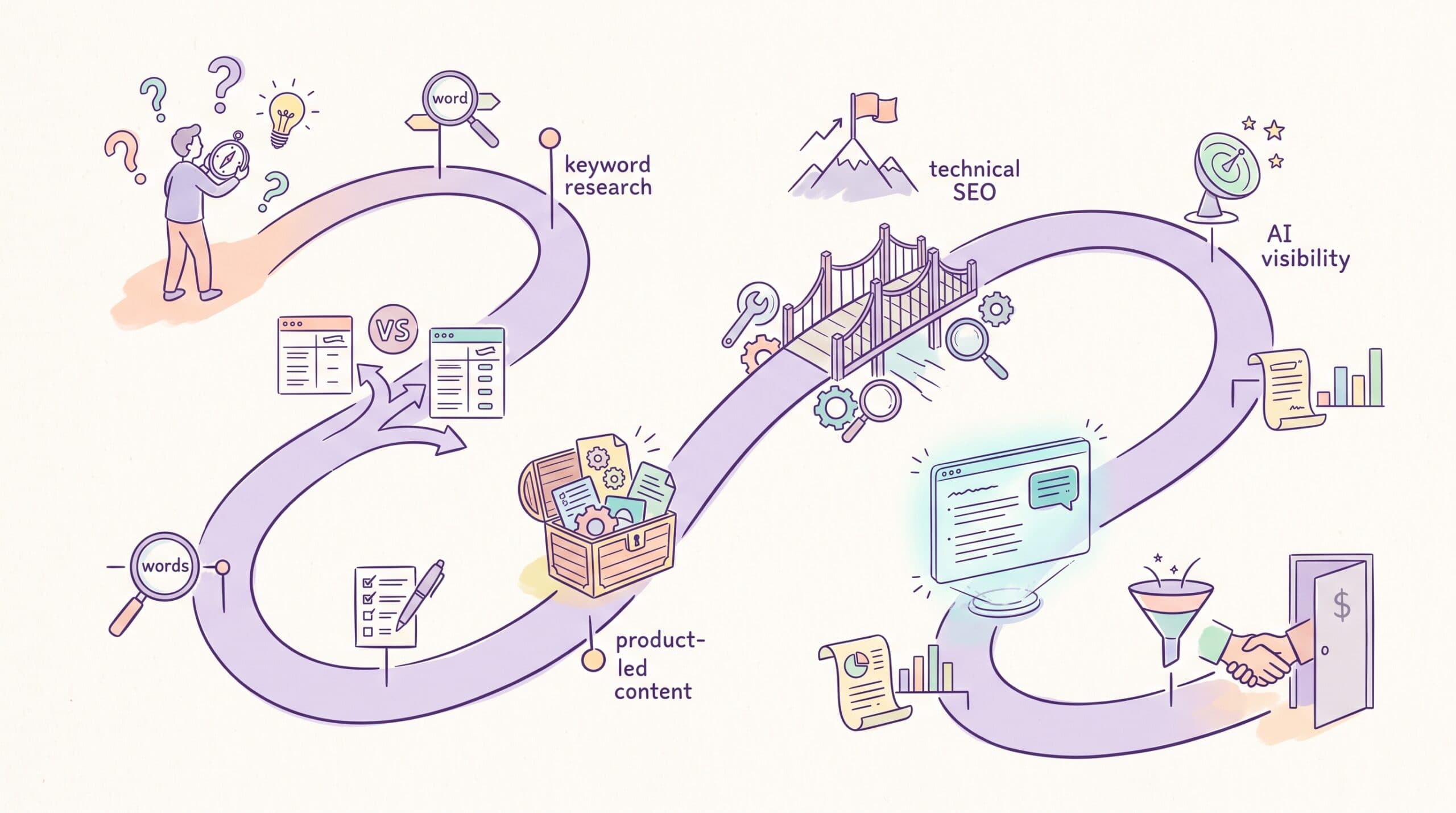

Your B2B marketing team can spend hundreds of dollars a month on SEO software and still be unsure what to do next.
The problem is overlap. Broad platforms offer keyword research, audits, rank tracking, and content recommendations, but they rarely handle every job with the same depth. Meanwhile, purpose-built tools can solve a specific problem well, yet adding too many leaves you paying for several versions of the same data.
This guide compares 17 of the best B2B SEO tools, with one recommendation for each job. The categories include technical SEO, content strategy, link building, AI visibility, and revenue attribution. You’ll learn what each product is best suited for, where it falls short, and whether it adds anything useful to the tools you already have.
Start with the part of your SEO program that feels hardest to manage. Then use the corresponding recommendation to decide whether you need a broad platform, a dedicated product, or no additional software at all.
Quick overview of the best B2B SEO tools
| Tool | Choose it for | Main compromise | Starting cost |
| Semrush | Running most of your SEO program from one platform | Its breadth raises the price, and you may pay for features your team rarely uses | $139/month |
| Ahrefs | Finding keyword, competitor, content, and backlink opportunities | The $29 Starter plan is useful for occasional research, but regular work requires a larger plan | $29/month |
| Keyword Insights | Turning a large keyword export into intent-based page and topic clusters | It organizes the opportunity but cannot decide which topics are commercially valuable | $58/month |
| Nightwatch | Tracking priority rankings across different markets and search engines | It measures visibility more precisely but will not connect those rankings to pipeline | €79/month |
| Screaming Frog | Investigating technical and indexing problems through a website crawl | The interface and volume of crawl data can be difficult for a non-specialist to interpret | Free; $279/year for the paid license |
| Surfer | Improving an individual page against the current search results | Following every recommendation can produce bloated or unnatural writing | $49/month |
| MarketMuse | Deciding which topics to create, update, expand, or consolidate | Custom pricing and deeper workflows make it excessive for a small publishing program | Custom |
| Respona | Securing backlinks and placements without building an internal outreach operation | It now leans toward a managed, pay-per-result service rather than traditional self-serve software | Pay per placement |
| Muck Rack | Journalist research, media outreach, coverage monitoring, and digital PR reporting | Pricing requires a sales conversation, and the platform may be excessive for occasional PR campaigns | Custom pricing |
| AirOps | Automating a content or SEO process your team already understands | Someone must design, test, and maintain the workflow | Free entry plan; custom team pricing |
| SEOmatic | Creating useful landing pages from structured data and repeatable templates | Automation cannot rescue weak data or pages with no distinct value | $149/month |
| Oncrawl | Diagnosing crawl and indexation problems across a large product catalog | Custom pricing and technical depth make it impractical for a small online store | Custom |
| Sitebulb | Finding hreflang and structural problems across international websites | Some of its crawling features overlap with Screaming Frog | $18/month |
| RankShift | Tracking whether your company is mentioned, cited, or recommended in AI answers | The results are only as useful as the prompts and markets you choose to track | From $92/month |
| Google Search Console | Understanding how your website performs in Google using first-party data | It does not provide competitor research or connect organic activity directly to revenue | Free |
| Dreamdata | Connecting organic touchpoints with accounts, opportunities, and revenue | Reliable attribution depends on clean CRM data and a thoughtful implementation | Free entry plan; custom paid plans |
| Conductor | Coordinating SEO across large websites, teams, and markets | The platform requires an enterprise budget and people responsible for using it | Custom |
What are B2B SEO tools?
B2B SEO tools are products that help you plan, carry out, or measure an organic search program aimed at business buyers.
They aren’t necessarily built only for B2B companies.
A retailer and a cybersecurity company may use the same keyword platform, but they are unlikely to judge an opportunity in the same way. For instance, a keyword with 50 monthly searches could be insignificant to the retailer and commercially valuable to the cybersecurity company.
As an in-house B2B marketer, you may need to find a low-volume search that signals a large potential deal. You might be investigating why an important solution page has stopped ranking. You may also need to show what happened after an organic visitor returned weeks later and booked a demo.
That work stretches beyond traditional keyword research. It includes technical health, SEO content marketing, backlinks, AI citations, and revenue reporting. The tool should help you answer a real question within that process.
For example, a keyword platform can help you find bottom-of-funnel keywords, but it cannot tell you whether your sales team considers the topic commercially useful. Google Search Console can show that a page receives clicks, but it cannot show whether those visitors later became qualified opportunities.
Each product on this list supports a different part of the same program: helping the right business buyer find your company and giving your team the information they need to improve what happens next.
How I selected these B2B SEO tools
I started with the jobs you may be responsible for, then chose one product for each. That kept the list from becoming another roundup where several platforms are praised for offering the same keyword, audit, and reporting features.
The recommendation had to fit an in-house B2B team. I looked at the problem the product solves, how easy it is to act on the output, what a useful plan costs, and how much it overlaps with software you may already own.
A feature received more weight when it could change a decision—not simply add another score to a dashboard.
I have used Semrush, Ahrefs, Screaming Frog, RankShift, and Google Search Console. Those reviews include observations from my own experience. I haven’t used every product on this list, so I won’t write as though I have.
For those tools, I reviewed current product documentation, public demonstrations, pricing pages, and recent customer feedback. I mainly used customer reviews to identify recurring complaints and limitations rather than relying on average star ratings.
Several categories have more than one credible option. I selected the product that gives you the clearest route from finding a problem to deciding what to do about it. Where another tool may suit a different budget or workflow, I’ll mention it.
1. Semrush: Best SEO tool for strategy and audits
Best for: An in-house marketer who wants to research opportunities, audit the website, and monitor performance from one platform.
Semrush is my overall pick when you need a broad view of your SEO program before deciding what deserves attention.

I usually begin with Organic Research rather than the Site Audit. Entering your website shows which pages and keywords currently attract traffic.
Running the same report for a few direct competitors can reveal the page types helping them grow, whether those are solution pages, industry guides, comparison content, or articles addressing a recurring buyer problem.
From there, Keyword Gap can find searches competitors rank for that your website doesn’t. I wouldn’t export the entire report and treat it as a content plan. Filter the results to focus on your products and buyer needs, then inspect the live search results. A keyword can carry a commercial label in Semrush and still be a poor fit for what your company sells.
Once you know where the opportunity lies, create a project and use Site Audit to identify technical issues. Semrush may return hundreds of warnings, but the audit score shouldn’t set your priorities. A canonical error affecting an important solution page deserves attention before a missing meta description on an old article.
Position Tracking can then monitor the smaller group of terms you’ve decided are worth pursuing. Semrush can also support a wider content audit, although you’ll still need Search Console, conversion data, and editorial judgment to decide what to do with each page.
Semrush pros and cons
Pros
- Semrush brings keyword research, competitor data, technical audits, backlinks, and rank tracking into one platform.
- Its reporting makes it easier to share SEO performance with people who do not work inside the platform every day.
- You can begin with a broad competitive view and continue monitoring the selected opportunities without moving the data elsewhere.
Cons
- The number of reports and recommendations can overwhelm someone who does not already know what they are investigating.
- Useful features are spread across several plans and toolkits, making the eventual cost harder to predict.
- Additional user seats increase the price if several people need direct access.
Semrush pricing
The standard Semrush SEO Toolkit costs:
- Pro: $139.95 per month
- Guru: $249.95 per month
- Business: $499.95 per month
Annual billing reduces the Pro plan to $117.33 per month.
Semrush One starts at $199 per month and adds deeper AI visibility features. I would choose it only when your team has identified the prompts, competitors, and markets it intends to monitor.
2. Ahrefs: Best SEO tool for keyword research
Best for: Finding search opportunities by studying keywords, competing pages, and the backlinks supporting them.
Ahrefs is the tool I use when I want to understand how another website attracts organic traffic.
It has been instrumental in increasing my site’s monthly visits from 50 to 3.2K within three months.

Start with Site Explorer and enter a direct competitor. The Top Pages report shows which URLs attract the most estimated search traffic, while Organic Keywords shows the searches behind that visibility.
I usually filter the results around terms connected to the product, service, or problem I’m researching. This removes popular articles that generate traffic without competing for the same buyers.
Content Gap can then compare your website with several competitors and find keywords they rank for that you don’t.
Treat the output as a research pool rather than a finished plan. Search volume is particularly easy to overvalue in B2B. A term with low monthly searches may be worth pursuing when it reflects an expensive problem or a buyer comparing providers.
Keywords Explorer adds more context. Traffic Potential estimates the search traffic available to the top-ranking page, while the SERP overview shows what Google currently rewards. Reviewing those pages can tell you whether the query needs a guide, landing page, comparison, or another format.
Ahrefs also helps you check whether high-ranking pages rely on strong backlink profiles. That context is useful before investing in bottom-of-funnel content for a competitive query.
Ahrefs pros and cons
Pros
- Ahrefs makes it easy to move from a competitor’s website to the pages, keywords, and backlinks driving its visibility.
- Its SERP data helps you evaluate an opportunity before committing writing and design resources.
- Verified website owners can access limited Site Explorer and Site Audit data for free.
Cons
- Keyword volumes are estimates and may understate commercially useful B2B searches.
- The $29 Starter plan is better suited to occasional research than to ongoing SEO management.
- Rank Tracker updates weekly on the standard plans, which may be too slow for teams that want daily movement.
Ahrefs pricing
Ahrefs pricing currently starts at:
- Starter: $29 per month
- Lite: $129 per month
- Standard: $249 per month
- Advanced: $449 per month
The Lite plan is the practical starting point for regular keyword and competitor research. Each core plan includes 1 user; additional users cost extra.
3. Keyword Insights: Best SEO tool for keyword clustering and search intent
Best for: Turning a large keyword list into page ideas without manually comparing every search result.
Keyword Insights groups keywords by analyzing whether the same pages rank for them. This helps you decide whether similar terms belong on one page or need separate pages.

That distinction is useful in B2B SEO. Two keywords may look interchangeable but return different results because one signals early research and the other suggests the buyer is comparing solutions. Publishing one catch-all article could leave both needs underserved.
The sensible workflow is to collect keywords in Semrush, Ahrefs, Google Search Console, or another source, then import them into Keyword Insights. Review the resulting clusters before turning them into briefs. The software can identify SERP overlap, but your team still needs to judge business value, funnel stage, and the appropriate page type.
It is most useful when your keyword list has grown too large to organize reliably in a spreadsheet. A team working with only a few dozen keywords may not need another subscription.
Keyword Insights pros and cons
Pros
- The SERP-based clusters provide a stronger basis for grouping keywords than wording alone.
- Search-intent labels help teams distinguish informational searches from more commercially relevant opportunities.
- The tool can reduce the time required to build a content plan from a large keyword export.
Cons
- The output still requires manual review because SERP similarity does not reveal how valuable a keyword is to your business.
- The credit system can make costs less predictable when you process large lists or use the content features.
- It adds less value if your current platform already provides keyword clustering you trust.
Keyword Insights pricing
Keyword Insights pricing starts at $58 per month for 10,000 credits. The Professional plan costs $99 per month and includes three seats and 20,000 credits. A seven-day trial costs $1.
4. Nightwatch: Best SEO tool for rank tracking
Best for: Monitoring important keywords across markets, locations, and search engines.
Nightwatch is a better fit than a basic rank tracker when your team needs to separate performance by product, country, device, or search engine.

For example, a B2B company could create segments for category keywords, comparison searches, branded terms, and priority landing pages. That produces a more useful view than combining every keyword into one average position chart.
Nightwatch supports daily tracking across Google, Bing, YouTube, Google Maps, and several other search engines. It also tracks AI prompts, although I would evaluate it primarily on its rank-tracking capabilities before treating the AI features as a reason to buy.
The main question is whether it adds enough precision to what you already have. Semrush and Ahrefs include rank tracking, while Google Search Console provides actual query data for your site. Nightwatch makes more sense when location-level accuracy, reporting, or a larger keyword allowance is a recurring requirement.
If that’s your situation, compare Nightwatch with the other best rank-tracking tools before adding another subscription.
Nightwatch pros and cons
Pros
- The platform supports detailed segmentation by keyword group, location, device, and search engine.
- Every plan includes daily updates and unlimited team seats.
- The reporting options suit teams that need to share performance with several stakeholders.
Cons
- Rank changes do not show whether SEO is contributing to leads or revenue.
- The starting price may be difficult to justify if your existing SEO platform already tracks enough keywords.
- Adding AI visibility to the same dashboard does not remove the need for a more deliberate prompt strategy.
Nightwatch pricing
Nightwatch pricing starts at €79 per month for 500 keywords and 50 AI prompts. Professional costs €159 per month, while Agency costs €399 per month. All plans include a 14-day trial.
5. Screaming Frog: Best SEO tool for technical SEO
Best for: Crawling a website and finding technical problems at the page or template level.
Screaming Frog is one of the tools I use when I need to understand what is actually happening across a site.

It can find broken links, redirect chains, duplicate pages, missing metadata, blocked URLs, canonical problems, and hreflang errors.
The paid version also supports JavaScript rendering, crawl comparisons, custom extraction, and integrations with Google Search Console, Google Analytics, and PageSpeed Insights.
The issue is rarely finding more warnings. It is determining which ones affect important pages.
I normally segment the crawl into areas such as the blog, product pages, help center, and global templates. This makes it easier to spot patterns. If every product page is missing a self-referencing canonical, that is a template problem. If three old articles return 404 errors, the fix is much smaller.
Screaming Frog is also helpful when building a content inventory, checking a migration, or investigating why a website is not showing on Google. However, its interface assumes that you are comfortable working with filters, tabs, and exports.
Screaming Frog pros and cons
Pros
- The crawler gives you detailed control over how a website is audited.
- Segmentation and custom extraction make it possible to investigate problems specific to your site.
- The annual license is inexpensive compared with many cloud-based technical SEO platforms.
Cons
- The number of reports and filters can be overwhelming for someone conducting their first technical audit.
- Large crawls depend on the memory and storage available on your computer.
- The software identifies problems but cannot decide which fixes deserve your team’s attention first.
Screaming Frog pricing
The free version crawls up to 500 URLs. A paid Screaming Frog license costs £199 or $279 per user per year, with discounts available for five or more licenses.
6. Surfer: Best SEO tool for on-page SEO
Best for: B2B content teams that want to optimize pages for Google and AI search within the same workflow.
Surfer is no longer positioning itself as only a content editor. It now describes the platform as an “AI Search Visibility OS” built around a closed content loop: diagnose visibility problems, improve the content, and monitor what happens afterward.

The platform can identify declining pages, surface competitive content gaps, track AI visibility, and turn those findings into prioritized tasks. Writers can then use its live guidelines to create or update content for traditional rankings and AI citations.
For a B2B team, the practical advantage is continuity. A content manager can move from finding an underperforming page to briefing, optimizing, and monitoring it without transferring the work between several platforms.
The Content Editor remains central. It compares a draft with competing pages and recommends topics, terms, structure, and length. However, the score should guide the review rather than control it. Adding every suggested phrase can make an article longer, less natural, and too similar to the existing search results. Treat the score as a checklist for missing subtopics rather than a target, one of the editorial rules I use when comparing Surfer SEO vs Semrush.
Surfer is therefore most useful when the team already understands the reader and search intent. Use it to identify gaps and maintain consistency across writers—not to replace customer research, product expertise, or editorial judgment. Those three inputs do most of the work in SEO content marketing; the tool keeps the drafts consistent.
Surfer pros and cons
Pros
- Surfer connects content auditing, writing, optimization, AI visibility, and ongoing monitoring in one workflow.
- Live guidelines give writers specific direction without requiring them to interpret raw SERP data.
- Brand profiles, custom voices, and shared workflows can improve consistency across an in-house content team.
- Its AI-search features make it possible to consider rankings and citations during the same content review.
Cons
- Following every recommendation can produce bloated content that resembles the pages already ranking.
- The broader platform now overlaps with content strategy, auditing, and AI visibility tools a team may already use.
- Content Scores cannot judge product accuracy, originality, buyer relevance, or the commercial value of a page.
- Smaller teams may not use enough of the expanded workflow to justify the higher plans.
Surfer pricing
Surfer pricing starts at $49 per month for Discovery when billed annually. Standard costs $99 per month, Pro costs $182, and Peace of Mind costs $299. Enterprise plans are priced on request, and the separate AI Search Analytics plan costs $82 per month when billed annually.
7. MarketMuse: Best SEO tool for content strategy
Best for: Prioritizing what to create, update, or consolidate across an established content library.
MarketMuse looks beyond individual keywords. It analyzes your published content, topic coverage, competing pages, and the relative difficulty of ranking based on your existing authority.

That makes it more useful for a team asking, “What should we work on next?” than one that needs to optimize a single article.
A practical use would be to identify topics where the business already has some authority, find the pages supporting those topics, and decide whether to create a missing page or improve an existing one. This can prevent the content calendar from becoming a list of disconnected keywords or topics.
MarketMuse will be harder to justify if your site has a small content library or your team does not publish regularly. The product gives you another layer of prioritization, but someone still has to connect those recommendations to customer questions, product priorities, and revenue potential.
If the strategic work requires more human research and positioning, compare the software route with hiring one of these content strategy agencies.
MarketMuse pros and cons
Pros
- The inventory view helps teams assess their content program as a connected system.
- Personalized difficulty can provide more context than a generic keyword-difficulty score.
- The platform supports decisions about updating and consolidating content, not only creating more.
Cons
- The platform’s depth creates a steeper learning curve than a simple content editor.
- Smaller sites may not have enough published content to benefit from its inventory analysis.
- Its recommendations cannot account fully for internal product priorities or insights from customers and sales teams.
MarketMuse pricing
MarketMuse pricing includes a free plan with 10 monthly queries. Prices for the Optimize, Research, and Strategy plans are not published; you need to request a demo.
8. Respona: Best SEO tool for link building
Best for: Teams that want guaranteed placements without running every outreach campaign themselves.
Respona has changed from a conventional outreach subscription into a pay-per-placement service. It now handles prospecting, outreach, content, and publishing, while allowing customers to specify the destination page, anchor text, and placement requirements.

That shift makes it easier to budget for results, but it also changes how you should evaluate the product.
Respona now combines its platform with a pay-per-placement service. The company handles prospecting, outreach, content creation, and publishing, with pricing based on the publisher’s domain rating and traffic range.
The safest approach is to review relevance before approving a domain. A site can meet the stated DR threshold and still have the wrong audience, weak editorial standards, or little connection to the page you want to promote.
Link building also works better when the destination is worth referencing. Original research, useful tools, detailed guides, and opinionated resources generally provide a stronger reason to link than an ordinary product page.
Respona pros and cons
Pros
- Pay-per-result pricing means you are not funding months of unsuccessful outreach.
- Content creation, outreach, and publishing are included in the placement price.
- Domain-approval options give teams some control over where their brand appears.
Cons
- Domain Rating and estimated traffic do not guarantee editorial quality or audience relevance.
- Outsourcing the process gives your team less control over relationships with publishers.
- Costs can rise quickly if you need placements from stronger domains or order them regularly.
Respona pricing
Respona pricing starts at $100 per placement for sites with a DR of 20 or higher. Higher tiers range from $160 to $500 per placement, depending on the required authority and traffic.
9. Muck Rack: Best SEO tool for digital PR
Best for: B2B teams that need journalist research, targeted pitching, media monitoring, and coverage reporting in one platform.
Muck Rack is a PR platform built around earning and measuring media coverage.

Its media database covers journalists and creators across digital publications, print, broadcast, podcasts, newsletters, and social media. Profiles include recent work and areas of interest, helping teams build a focused media list around a campaign rather than sending the same pitch to hundreds of contacts.
The pitching tools manage personalization, scheduling, follow-ups, team ownership, and engagement data. When outreach leads to coverage, Muck Rack can connect the published article to the original pitch.
Its monitoring and reporting features then track mentions, sentiment, share of voice, and the influence earned media may have on AI-generated answers.
For B2B SEO, the strongest use case is promoting something with editorial value: original research, proprietary data, a useful tool, or a defensible industry viewpoint. The resulting coverage can generate backlinks, referral traffic, brand searches, and third-party citations that influence traditional and AI search.
Access to a journalist database does not make a campaign newsworthy. Your team still needs a credible angle and a clear reason for each publication’s audience to care.
Muck Rack pros and cons
Pros
- The verified media database reduces the time spent finding relevant journalists and checking contact information.
- Pitching, monitoring, and reporting sit within one connected campaign workflow.
- Coverage can be attributed to specific pitches, making successful angles and relationships easier to identify.
- AI-visibility reporting helps teams examine how earned media contributes to brand mentions in generated answers.
Cons
- Muck Rack doesn’t publish plan prices, making it difficult to evaluate affordability without speaking to sales.
- The breadth of the platform may exceed the needs of a team running only a few campaigns per year.
- Journalist recommendations and personalization features cannot compensate for a weak or irrelevant story.
- Smaller teams may find BuzzStream or Prezly easier to justify if they need a narrower outreach or PR CRM workflow.
Muck Rack pricing
Muck Rack pricing is custom. The company offers Starter, Standard, and Premier plans, with differences in monitoring, journalist recommendations, reporting, podcast coverage, onboarding, and support.
10. AirOps: Best SEO tool for content operations
Best for: Building repeatable workflows for researching, refreshing, reviewing, and publishing content.
AirOps lets a marketing team turn a multi-step content process into a reusable workflow. A workflow might collect SERP data, analyze existing content, generate a brief, apply brand guidance, run quality checks, and send the result to a CMS.

AirOps reduces the manual work involved in moving research and content between spreadsheets, AI models, briefs, editors, and publishing tools.
Start with a process your team already performs regularly. Content refreshes are a good example because they involve consistent inputs and clear review points. Document the current process, automate the repetitive steps, and keep human approval before anything goes live.
A poorly designed workflow can scale mistakes as efficiently as good work. Prompts, source data, brand rules, and review criteria need an owner. AirOps therefore suits teams with enough production volume to justify setting up and maintaining the system.
If you need people to supply the judgment that automation cannot, compare it with dedicated B2B content writing services.
AirOps pros and cons
Pros
- The workflow builder can connect research, content production, quality checks, and publishing.
- Teams can choose from several AI models and data providers instead of depending on one model.
- Reusable processes can reduce repetitive work across large refresh or production projects.
Cons
- Setup requires a clear existing process and someone responsible for maintaining it.
- Weak instructions or source data can create inconsistent output at scale.
- The platform is excessive for teams publishing only a small amount of content.
AirOps pricing
AirOps pricing includes an Insights plan starting at $0. The Pages plan uses custom pricing based on requirements and includes broader content production and AI visibility capabilities.
11. SEOmatic: Best SEO tool for programmatic SEO
Best for: Publishing repeatable landing-page formats across many keywords, services, integrations, or locations.
SEOmatic combines page templates, bulk generation, internal linking, CMS publishing, approval workflows, and performance reporting.

It can support page sets such as industry solutions, product integrations, comparisons, locations, and account-based marketing pages. The template provides the consistent structure, while each row in the underlying dataset supplies the details for an individual page.
The use case needs to justify the volume. If changing one or two words is the only difference between pages, automation will produce a larger site without creating more value. Strong programmatic pages normally draw on useful data, distinct customer needs, product information, or genuinely different search intent.
Begin with a small batch. Review whether the pages are indexable, differentiated, accurate, and helpful before expanding. Your team should also decide which pages require approval and protect important existing pages from automated changes.
SEOmatic pros and cons
Pros
- The platform connects page generation with internal linking and direct CMS publishing.
- Approval workflows and one-click rollback provide control over automated changes.
- It supports several common programmatic page formats without requiring a custom internal system.
Cons
- The platform is increasingly positioned toward agencies, so some features may exceed an in-house team’s needs.
- Generating pages is easier than developing the unique data and logic that make them valuable.
- Poor templates can create thin pages, duplication, and a substantial quality-control problem.
SEOmatic pricing
SEOmatic pricing starts at $149 per month for the Launch plan. Scale costs $399 per month, Infrastructure costs $899, and Enterprise pricing is custom. A 14-day trial is available.
12. Oncrawl: Best SEO tool for e-commerce SEO
Best for: Auditing large B2B product catalogs, marketplaces, and complex e-commerce architectures.
Oncrawl combines large-scale crawling, log-file analysis, segmentation, and data from platforms such as Google Search Console and Google Analytics.

Its e-commerce value becomes clearer when a site has thousands or millions of product and category pages. At that scale, crawl depth, faceted navigation, query parameters, duplicate pages, internal links, and inventory changes become difficult to investigate with a small-site audit process.
A B2B distributor could segment URLs by product category, availability, margin, or business priority. The SEO team can then see whether search engines spend time crawling low-value parameter pages while commercially important products remain too deep in the architecture.
This is not the first product to buy for a modest e-commerce site. Screaming Frog or another desktop crawler may provide enough information at a much lower cost. Oncrawl makes more sense when crawl scale, log data, and custom segmentation affect recurring decisions.
Oncrawl pros and cons
Pros
- The platform is built to analyze large catalogs and complicated site structures.
- Log-file analysis shows how search-engine crawlers behave rather than only how the site is linked.
- Custom segmentation lets teams connect technical findings to product groups and commercial priorities.
Cons
- Smaller stores may not need the platform’s scale or implementation requirements.
- The volume of technical data requires an experienced person to interpret it.
- The absence of public pricing makes it harder to compare the product before speaking with sales.
Oncrawl pricing
Oncrawl does not publish fixed prices. Its e-commerce SEO platform is sold through a custom plan based on crawl volume and requirements.
13. Sitebulb: Best SEO tool for international SEO
Best for: Finding and explaining hreflang problems across country and language versions.
Sitebulb crawls hreflang annotations found in HTML, XML sitemaps, and HTTP headers. It checks whether alternate pages reference one another, declare themselves correctly, and use consistent language signals.

This is useful when a B2B website has English pages for several countries, translated content, regional subfolders, subdomains, or separate country domains. A configuration can appear correct on one page while breaking elsewhere because a return tag is missing or an alternate URL redirects.
Sitebulb overlaps with Screaming Frog, which also audits hreflang. Its advantage is presentation. The prioritized hints and visual reports can make complex international problems easier to explain to developers and regional stakeholders.
However, hreflang validation is only one part of international SEO. The tool cannot decide whether a market needs separate content, whether translations reflect regional search behavior, or how country-specific pages should be positioned.
Sitebulb pros and cons
Pros
- The crawler checks hreflang implementations across pages, sitemaps, headers, domains, and subdomains.
- Prioritized explanations make technical problems easier to understand and assign.
- Visual reports can help teams communicate complicated international configurations.
Cons
- The tool overlaps with technical crawlers your team may already use.
- Correct hreflang cannot solve weak localization or poor regional keyword targeting.
- Desktop crawl limits and collaboration needs may push larger teams toward the more expensive cloud version.
Sitebulb pricing
Sitebulb pricing starts at $18 per month for Lite and $42 per month for Pro. Sitebulb Cloud starts at $125 per month. A 14-day trial is available.
14. RankShift: Best SEO tool for AI search visibility
Best for: Tracking how often a brand appears in AI-generated answers and which sources influence those mentions.
RankShift tracks prompts across ChatGPT, Perplexity, Gemini, Claude, Google’s AI features, and other AI platforms.

When I use it, I don’t treat prompt tracking as a long list of slight keyword variations. I group prompts around the questions a buyer might genuinely ask: category recommendations, comparisons, use cases, objections, and industry-specific problems. That makes changes in visibility easier to interpret.
The citation data is particularly helpful. If competitors appear more often, you can inspect the sources supporting those answers. That may uncover content your site lacks, third-party publications influencing the category, or unclear product positioning.
RankShift doesn’t prove that an AI mention generated pipeline. Prompt selection also has a substantial effect on the results. A dashboard built around unrealistic questions can look detailed while telling you very little.
Choose realistic prompts before you start with RankShift, since they shape everything the dashboard shows.
RankShift pros and cons
Pros
- The platform covers several major AI models and allows daily or weekly prompt refreshes.
- Unlimited seats and projects make it easier to involve content, SEO, and leadership teams.
- Citation and crawler analysis provide more direction than a visibility score alone.
Cons
- The credit-based model requires planning when you track many prompts, markets, or models.
- Poor prompt selection produces misleading data regardless of how accurately the tool collects it.
- AI visibility remains an intermediate metric rather than evidence of revenue.
RankShift pricing
RankShift pricing starts at $92 per month ($82) when billed annually. The Starter plan includes 150 prompts per day, unlimited seats and projects, and 9,500 credits. A 30-day trial is available.
15. Google Search Console: Best SEO tool for search analytics
Best for: Understanding how Google discovers, indexes, and displays your website.
Google Search Console is the first place I look when I want to know what is happening to a site in Google Search.

The Performance report shows queries, pages, impressions, clicks, click-through rates, and average positions. I usually narrow the report to a page or page group and compare periods. That helps separate a site-wide decline from a problem affecting one section.
It also reveals opportunities that third-party tools may miss. A page receiving impressions for an unexpected query could need a new section, a better title, or a separate supporting page. URL Inspection then helps determine whether an underperforming page is indexed and how Google last crawled it.
The limitations are equally important. Average position is an average across searches, devices, and locations. Search Console does not provide deep competitor data, and it cannot connect an organic visit to a closed deal without other systems.
Google Search Console pros and cons
Pros
- The performance data comes directly from Google rather than a third-party ranking estimate.
- Page and query filters make it possible to investigate specific content groups.
- Indexing, sitemap, Core Web Vitals, and URL Inspection reports support technical diagnosis.
Cons
- The interface retains a limited amount of historical data unless you export it elsewhere.
- Average position can be misunderstood when reports are not segmented carefully.
- Search Console cannot show competitor performance or attribute rankings to revenue.
Google Search Console pricing
Google Search Console is free. There is no paid plan.
16. Dreamdata: Best SEO tool for revenue attribution
Best for: Connecting organic touchpoints to accounts, opportunities, and revenue across a long B2B buying journey.
Dreamdata brings website, advertising, CRM, and marketing-automation data into an account-level view of the customer journey.

This addresses a problem that basic web analytics handles poorly. A B2B purchase may involve several people, repeated visits, branded searches, sales conversations, and a contract signed months after the first organic session. Looking only at the final conversion can hide SEO’s earlier contribution.
A useful setup would identify organic visits to commercial content, connect known contacts to their accounts, and compare first-touch, last-touch, and multi-touch models. Dreamdata helps you see where organic search appears in successful buying journeys and which pages repeatedly influence opportunities.
Dreamdata requires clean CRM stages, reliable tracking, and consistent campaign data. If those foundations are weak, the platform will organize incomplete information rather than resolve it.
Dreamdata pros and cons
Pros
- Account-level journeys suit B2B purchases involving several people and touchpoints.
- Multiple attribution views prevent teams from relying entirely on last-touch reporting.
- Organic content can be assessed alongside paid campaigns and sales activity.
Cons
- Attribution remains a model rather than an objective record of what caused a purchase.
- Implementation quality depends on accurate CRM, tracking, and campaign data.
- The advanced platform may be excessive for a business with a short or simple sales process.
Dreamdata pricing
Dreamdata pricing includes a free plan with B2B web analytics, company identification, engagement scoring, and five seats. Advanced activation and attribution plans use custom pricing.
17. Conductor: Best SEO tool for enterprise SEO and governance
Best for: Coordinating SEO across large websites, multiple markets, and cross-functional teams.
Conductor combines search and AI performance reporting, content guidance, website monitoring, competitor analysis, and enterprise controls.

Its strongest use case is organizational complexity. A company may have several domains, tens of thousands of pages, regional teams, different CMS platforms, and multiple departments capable of changing the website. At that point, SEO governance becomes as important as finding keywords.
Conductor can give those teams a shared system for monitoring performance, identifying problems, and reporting priorities. But purchasing an enterprise platform does not create governance by itself. The company still needs owners, approval processes, development capacity, and agreement on how opportunities are prioritized.
A smaller B2B team is unlikely to use enough of the platform to justify the cost. Semrush, Ahrefs, Search Console, and a crawler can cover many of the underlying jobs. Conductor becomes more defensible when coordination and scale are the real constraints.
If coordination is the constraint, hiring one of the enterprise SEO agencies is the alternative to more software. You can also use this process to find a good SEO consultant if a full platform or agency would be excessive.
Conductor pros and cons
Pros
- The platform brings SEO, AI visibility, content, and website monitoring into a shared enterprise environment.
- Its reporting and integrations support collaboration across large, distributed teams.
- Usage-based plans allow companies to select limits that reflect their websites and reporting requirements.
Cons
- The platform requires internal ownership and processes to turn recommendations into changes.
- Smaller teams may pay for scale and governance capabilities they do not need.
- Public pricing is unavailable, which makes early-stage comparison more difficult.
Conductor pricing
Conductor pricing is usage-based and provided by its sales team. Essentials, Growth, and Enterprise plans are available, with limits based on pages, keywords, competitors, monitoring, and AI-search usage.
How to choose the right B2B SEO tool
The right B2B SEO tool should help you answer a question you regularly struggle with.
That question might be:
- Which keywords are worth targeting?
- Why did an important page lose traffic?
- Which technical problems should we fix first?
- Where are competitors earning their backlinks?
- Does organic search contribute to pipeline?
- Why does our brand appear less often in AI answers?
Starting with the question narrows the field. It also stops you from buying software because its feature list looks impressive.
Identify the job you need the tool to perform
Define the primary job before comparing products.
If keyword research is the problem, you need reliable search and competitor data. If organizing thousands of keywords is the bottleneck, clustering matters more. If the team already has a large content library, you may need help deciding what to update rather than finding more topics.
Be specific about the expected output.
If you are unsure which content opportunities are commercially useful, start by learning how to find bottom-of-funnel keywords.
Check what your current platform already includes
Semrush and Ahrefs each cover keyword research, competitor analysis, site auditing, backlinks, and rank tracking. Google Search Console provides search and indexing data for free. For teams that also track competitors’ paid search, there’s a separate comparison of SpyFu alternatives.
Before adding another subscription, check whether your existing platform already handles the job.
The missing piece may be a saved report, a better filter, or a clearer internal process. Buying another product will not solve a workflow your team has not defined.
My broader guide to the best SEO tools can help you compare products outside the B2B-specific use cases covered here.
Understand where the data comes from
SEO products frequently return different numbers because they collect and process information differently.
Check whether the tool uses:
- Live search results or a historical keyword database
- First-party website data or traffic estimates
- Its own backlink index or another provider’s data
- Search-engine interfaces or API responses
- Website crawls, server logs, or both
The data does not have to be perfect to be useful. You just need to understand what it can prove.
A keyword-volume estimate can help you compare two opportunities. It cannot tell you exactly how many qualified leads either keyword will generate.
Make sure the team will use it
A capable tool can still become an expensive unused one.
Consider who will use it, how often they will log in, and what action should follow the report. A content manager may need clear recommendations and exports. A technical SEO may prefer granular crawl controls. A marketing leader may care more about integrations and reporting.
The interface also matters. If only one person understands the product, the workflow may stop whenever that person is unavailable.
For highly technical or strategic work, software may not be the missing piece. A consultant could help your team interpret the existing data and decide what to do next. Knowing how to find a good SEO consultant saves you from paying for advice that repeats what the tools already show.
Calculate the full cost
The advertised monthly price rarely tells the whole story.
Check the cost of:
- Additional users
- Tracked keywords or prompts
- Credits and overages
- API access
- Extra websites or markets
- Onboarding
- Integrations
- Training
- Annual commitments
Then consider implementation.
A crawler may find thousands of errors, but someone still has to prioritize and fix them. A content platform may recommend dozens of updates, but writers and subject-matter experts still have to complete the work.
A $100 tool your team uses every week may offer better value than a $500 platform nobody has time to act on.
Test it with a real project
Don’t spend the trial exploring every feature.
Choose one task your team already needs to complete. For example:
- Build a keyword map for an upcoming campaign.
- Find the cause of a rankings decline.
- Audit one section of the website.
- Identify five articles to refresh.
- Track visibility for 20 commercial prompts.
- Connect organic visits to recent opportunities.
Decide what success looks like before starting. By the end of the trial, you should be able to name a decision the tool improved, a problem it found, or time it saved.
Which B2B SEO tool should you buy first?
Start with Google Search Console.
It is free, uses Google data, and shows which queries and pages generate impressions and clicks. It can also help you determine whether an important URL has been indexed.
Once Search Console is configured, your next purchase depends on the question it cannot answer.
Buy Semrush if you need a broad SEO platform
Semrush is the most practical first paid option for a B2B marketing team that needs keyword research, competitor analysis, audits, rank tracking, and reporting. If you already pay for HubSpot’s SEO tools, compare Semrush vs HubSpot before paying for both.
It covers enough of the SEO program to delay several additional purchases. Add a more focused product only after your team finds a recurring job Semrush cannot handle with enough depth.
Buy Ahrefs if competitor and backlink research come first
Choose Ahrefs when your work regularly starts with competing websites.
Its backlink index, organic competitor reports, and content research features make it easier to investigate why another site outranks yours and which pages attract links.
You probably do not need both Ahrefs and Semrush at the beginning. Test them against the same project and keep the one that helps your team reach a useful decision faster.
Buy Screaming Frog if you cannot explain technical problems
Screaming Frog should come next when the team needs more control over technical audits.
Use it to crawl the site, segment URLs by template or directory, and identify patterns involving redirects, canonicals, internal links, metadata, or indexing directives.
Buy a content tool when production becomes the bottleneck
Choose the product that matches where you have a roadblock:
- Keyword Insights helps organize large keyword lists into page-level clusters.
- MarketMuse helps decide what to create, improve, or consolidate.
- Surfer gives writers on-page optimization guidance.
- AirOps helps automate repeatable research, briefing, review, and publishing steps.
Don’t buy all four because your team “does content.” Find the point where work repeatedly slows down and address that first.
If execution is the bigger problem, compare software with hiring one of these SEO content writing services.
Buy Nightwatch when rankings require closer monitoring
Google Search Console is sufficient for broad trends, but it reports average positions and has a data delay.
Nightwatch becomes useful when your team needs daily monitoring by location, market, device, or search engine.
Buy RankShift when AI visibility has become a real responsibility
First, manually test the questions buyers are likely to ask ChatGPT, Perplexity, Gemini, and Google’s AI features.
If your competitors appear regularly and your team intends to act on the findings, RankShift can automate prompt tracking and citation analysis.
Don’t buy an AI-search platform simply because leadership wants an AI dashboard. Decide which prompts, markets, competitors, and outcomes the team will monitor.
Buy Dreamdata when traffic reports no longer satisfy leadership
Dreamdata becomes relevant when SEO contributes to a long buying journey involving several people and touchpoints.
Before buying it, confirm that your CRM stages, conversion events, and campaign tracking are reliable. Attribution software can connect the data, but it cannot repair missing or inconsistent inputs.
Buy Conductor when coordination is the problem
Conductor is unlikely to be a sensible first purchase for a small team.
It becomes more appropriate when SEO spans multiple websites, markets, departments, and approval processes. At that point, the company is paying for governance and coordination as much as keyword or content data.
If implementation capacity is also missing, compare the platform with external support from a freelance writer.
Turn your SEO data into content buyers can find
SEO tools can show you where competitors are gaining ground, which pages have lost visibility, and what buyers search for before making a decision.
Someone still has to turn that information into content.
I’m Nathan, a freelance content writer and strategist for B2B software companies. I help marketing teams research and create bottom-of-funnel content that ranks in Google, appears in AI answers, and supports pipeline.
That includes:
- Best-of and category articles
- Alternatives and comparison content
- Product-led how-to guides
- Use-case pages
- SEO and GEO content refreshes
One comparison article I wrote for Zapier offsets roughly $20,000 a year in paid search spend. The keyword tool helped reveal the opportunity. The commercial value came from what we created after finding it.
If your B2B SEO tools keep producing opportunities your team does not have the writing capacity to pursue, let’s talk.
Frequently asked questions about B2B SEO tools
How many B2B SEO tools does a team need?
Most teams can begin with Google Search Console, one broad SEO platform, and a technical crawler.
Add another product when you can identify the recurring task it will handle. A content-heavy team may add a clustering or optimization platform. A multi-region company may need international auditing. A mature program may add revenue attribution or AI visibility monitoring.
Using fewer tools well is usually better than maintaining several overlapping subscriptions.
Are B2B SEO tools different from SaaS SEO tools?
The underlying capabilities often overlap, but the use cases are not identical.
SaaS teams may emphasize product-led content, comparison searches, integration pages, and trial or demo attribution. A broader B2B company may need distributor pages, service-area content, international markets, digital PR, product catalogs, or account-level revenue reporting.
If you sell software, start with the best SaaS SEO tools, which are picked for those product-led use cases.
Can SEO tools tell me which keywords will generate revenue?
No tool can guarantee that a keyword will produce revenue.
Keyword volume, difficulty, CPC, and SERP composition provide useful clues. Your team still needs to consider buyer intent, product relevance, sales value, and the page required to satisfy the search.
Do I need an AI visibility tool in addition to an SEO platform?
Not immediately.
Start by checking realistic buyer prompts manually. A dedicated platform becomes worthwhile when AI visibility needs to be monitored across many prompts, competitors, models, or markets.
AI tracking does not replace traditional SEO measurement. Use it alongside rankings, organic conversions, and citation analysis. On the writing side, a GEO content writer combines traditional SEO with content structured for AI search citations.
Are B2B SEO tools worth paying for?
They are worth paying for when they improve a recurring decision, save meaningful time, or reveal information your existing systems cannot provide.
They aren’t worth the cost when the team buys them without an owner, defined workflow, or capacity to act on the recommendations.
Test the product with a real project before committing to an annual plan.